







Wacom Intuos Pro Medium -PTH-660-N
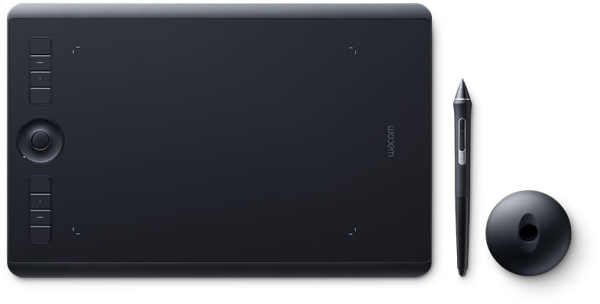

Wacom Intuos Pro Medium -PTH-660-N

Getting Started with your Wacom Intuos Pro

Wacom Intuos Pro
Unboxing & Setup (PC)

Wacom Intuos Pro
Unboxing & Setup (macOS)

Connect
Connect your device to your computer and turn it on.
Unboxing for Windows
Unboxing for macOS

Install
Download and install the latest driver. Follow the instructions on screen and restart.
Windows Driver Install
macOS Driver Install

Register device
Create a Wacom ID or sign-in and register your device to get your included software.
How to pair your Wacom Intuos Pro via Bluetooth® to your computer
Step 1: Make sure your Wacom Intuos Pro is charged and the selector switch is in position for Bluetooth channel 1 or 2. Reference the Quick start guide for more information on switch selection.
Step 2: Open the Bluetooth settings/preferences on your computer.
Step 3: Press the Power button on your Wacom Intuos Pro until the blue LED starts blinking.
Step 4: On your computer, select "Wacom Intuos Pro" and then "Pair".


Connect Bluetooth to PC

Connect Bluetooth to macOS
Getting familiar with Wacom Intuos Pro

Customize your Pro Pen 3 settings (macOS)

ExpressKeys and dials

On-screen Shortcuts

Driver Install - Win

Driver Install - macOS

Setting up Pro Pen 3
Get complimentary software offers with every Wacom Intuos Pro.
To get your complimentary software, you need to sign-in or create a Wacom ID with your personal data and register your Wacom Intuos Pro.

Clip Studio Paint EX
The premier painting tool - ideal for any way you express your creativity, be it through illustration, comic, webtoon, or animation. Draw out your infinite creative potential with a wealth of features to help you get the most out of your process in a true-to-life painting experience. Hone your skills on the Wacom device, with up to 6 free months of Clip Studio Paint EX.
To begin up to 6-month complimentary trial of Clip Studio Paint EX, registration with Celsys is required. Terms and conditions apply.
| Brand | Wacom |
|---|---|
| Operating System | Proprietary OS |
| RAM | 2GB |
| Screen Size | 13" |
| Warranty | 7 Day Replacement |
| Internal Memory | Not Available |
| Expandable Memory | No |
| Phone Option | No |
| Shipping | Same Day From Lahore |