







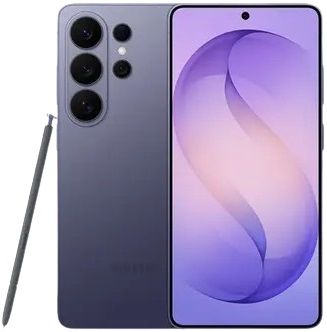
Samsung Galaxy S26 Ultra 12GB 512GB
SKU
U69878

"The Samsung Galaxy S26 series wins in the AI department."
"With advanced AI integration, enhanced performance, and robust privacy features, the Galaxy S26 series sets a new standard for flagship smartphones."
Meet Galaxy S26 Ultra, an AI phone featuring a customized processor that transforms your experience, our brightest camera system and the world's first built-in Privacy Display on mobile — all in the palm of your hand to enhance your everyday life.
MEET YOUR NEW AI PHONE
Refined Design
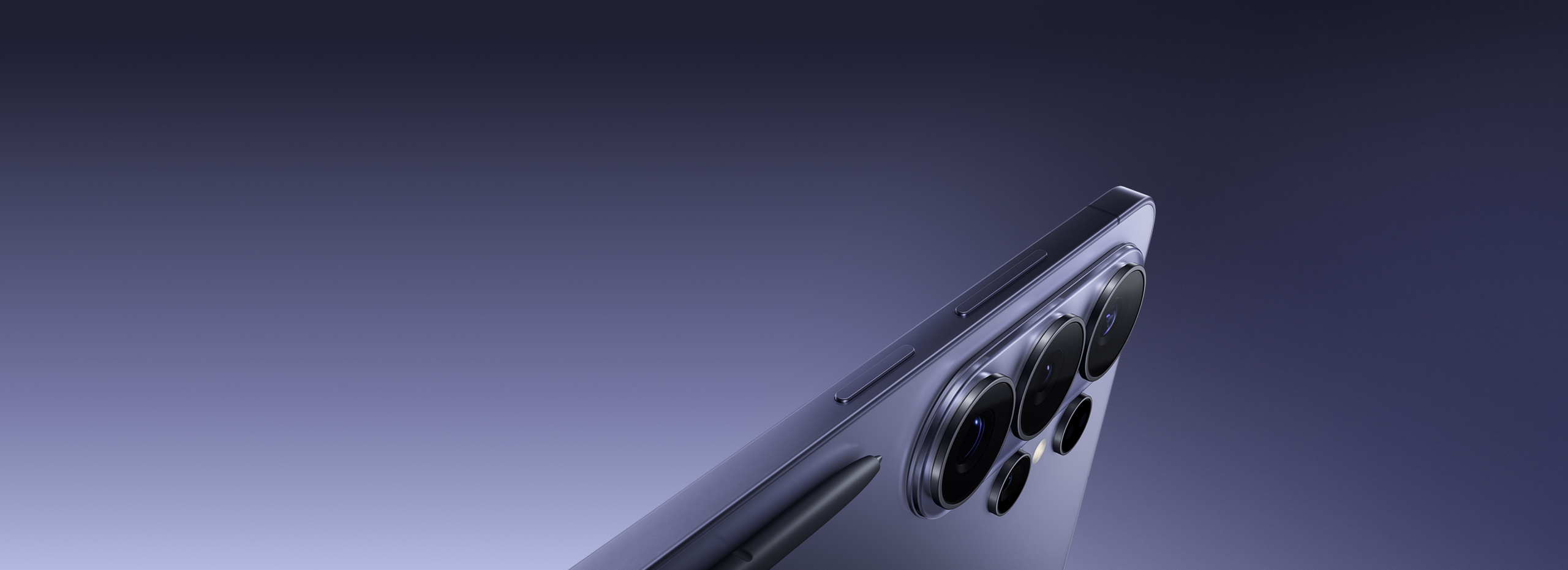
Introducing a new glass camera island that flows seamlessly into the device as part of a more refined design.
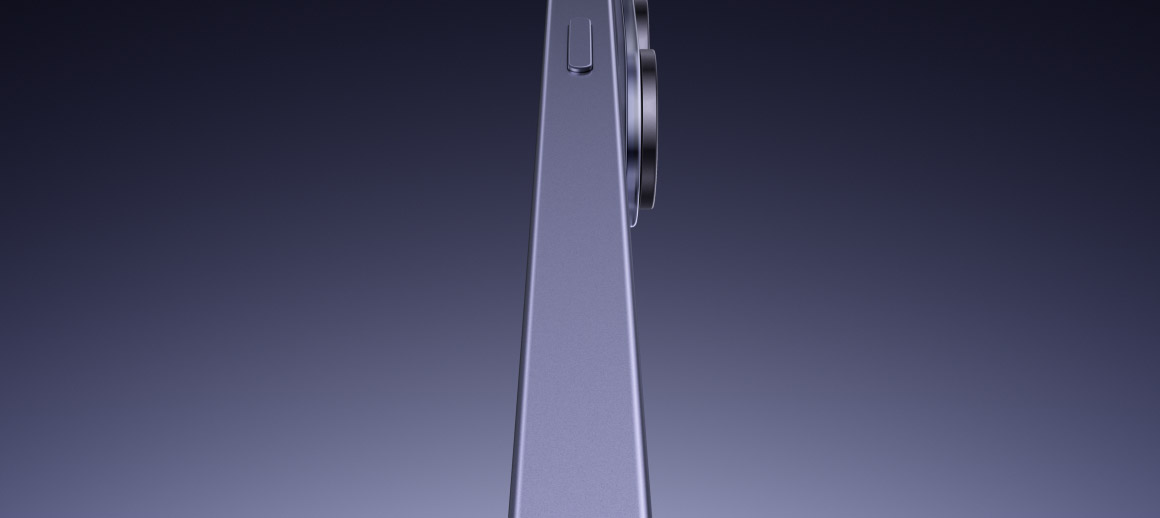
Galaxy S26 Ultra in Cobalt Violet is seen from the side. As it rotates, the rear cameras are seen. Next, three more devices in Sky Blue, White and Black fan out from the original device and are also seen from the back. S Pen slides into view.
Privacy Display
With built-in Privacy Display, decide whether to hide your whole screen, specific apps, incoming notifications or PINs, Patterns and passwords when accessing Settings, Lock Screen and Secure Folder.
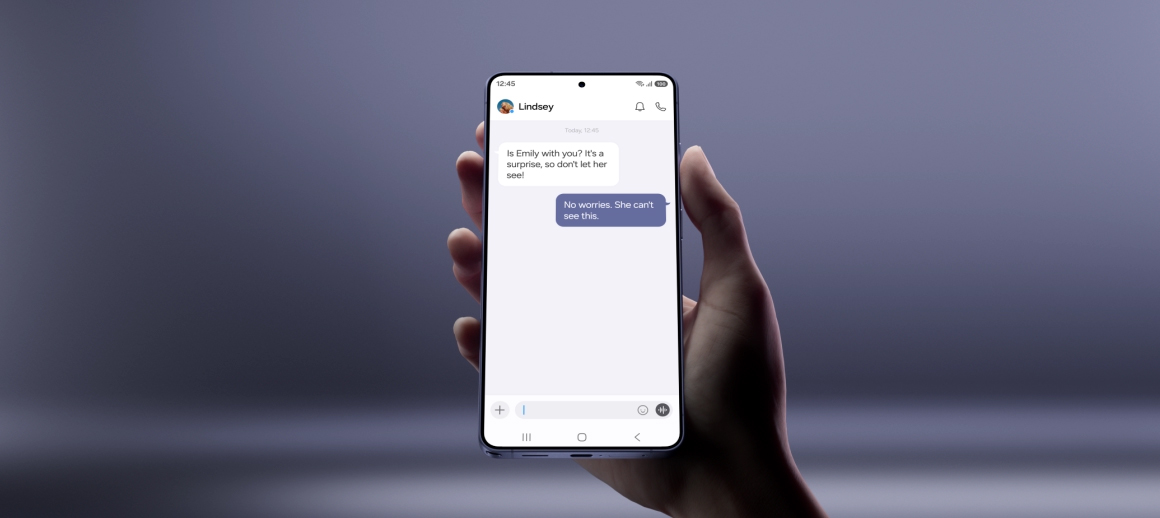
Galaxy S26 Ultra is seen being held in a hand. When viewed straight on, the main screen is visible. When the user rotates the viewing angle to the side, the main screen dims and becomes less visible. When the viewing angle returns to show the screen straight on, the contents are visible again.
Performance
Our customized processor is built with improved NPU, GPU and CPU for enhanced AI performance.
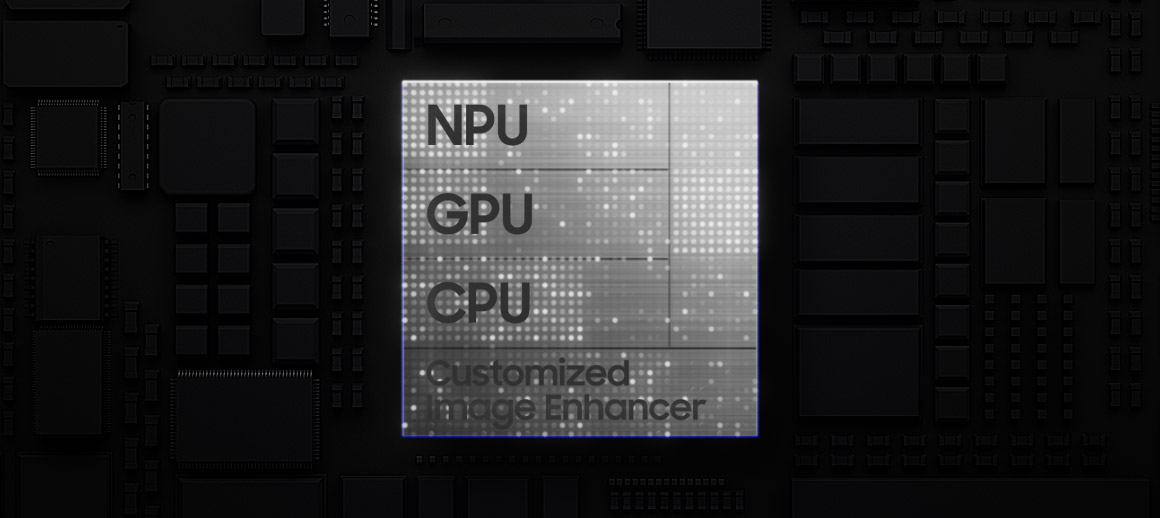
Galaxy S26 Ultra's customized chip is seen with NPU, GPU, CPU and Customized Image Enhancer. As it falls, light flows to the rest of the chipboard. Zooming out, the main screen of Galaxy S26 Ultra is seen. The original chip transforms to say AI.
Nightography Video
Wider apertures for 47% improved brightness on the 200 MP Wide camera, plus noise reduction deliver clear and detailed videos even in low-light environments.
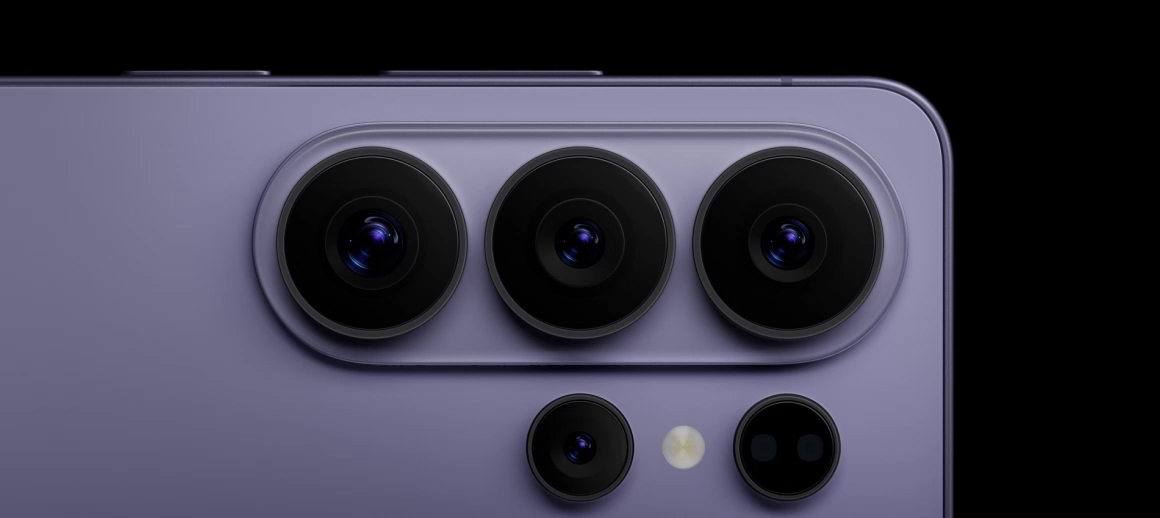
Close up of Galaxy S26 Ultra's rear camera is seen. Zooming inside the lens, it transforms to a video being shot in low light. Thanks to Nightography, details remain vivid and clear.
Photo Assist
Get quick and easy photo editing by writing prompts using natural language, and Galaxy AI will take care of the rest.
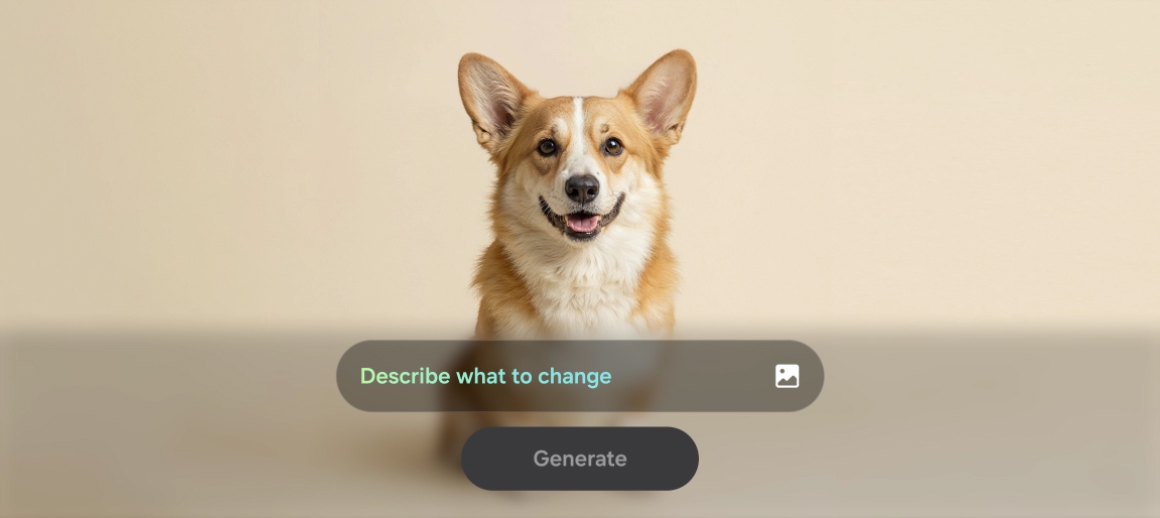
A photo of a dog is seen. In Photo Assist, the user can describe what to change by inputting a text prompt. After typing 'Make this his birthday party', the Generate button is pressed. Galaxy AI transforms the photo by adding various birthday themed accessories on and around the dog.
Key specs at a glance
Design
7.9mmThickness
214gWeight
6.9”Display
200MPWide F1.4
50MPTele F2.9
AP
Customized ProcessorImproved NPU, GPU and CPU
Battery
31hrsof video playback
Charge
Up to75%in around 30 mins
Galaxy S26 Ultra
DESIGN
See the details up close
Cobalt Violet
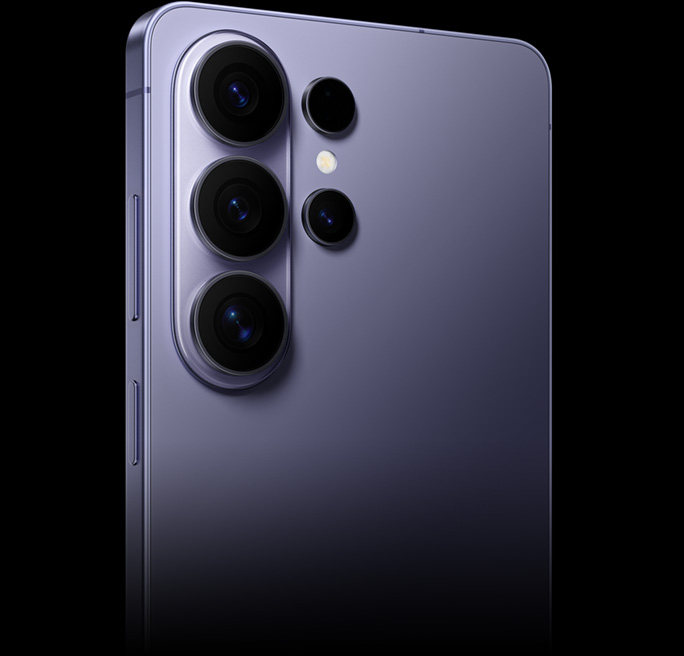
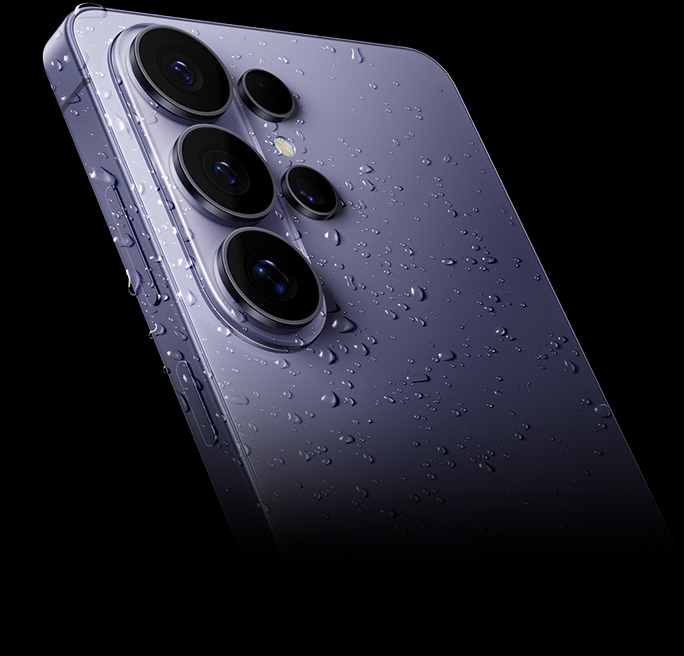
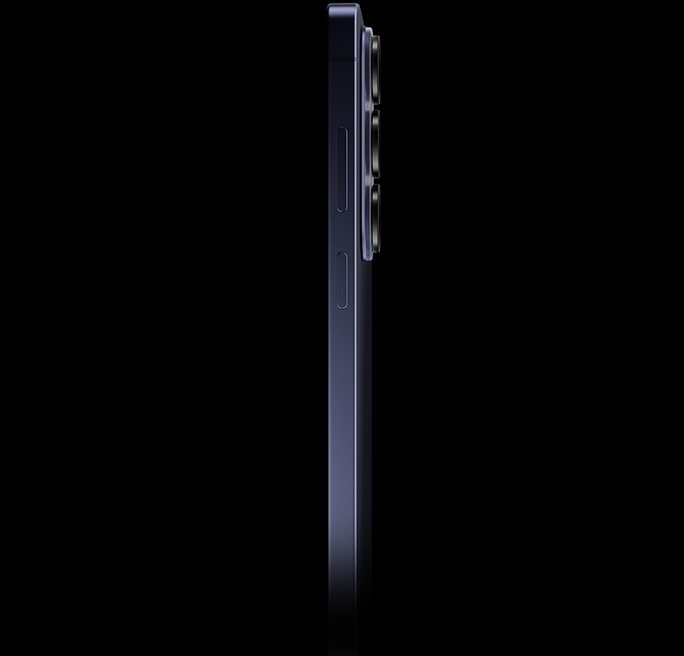
See how thin and light Galaxy S26 Ultra is
Galaxy S26 Ultra
7.9mmThickness
214gWeight
Comparison
0.7mmThinner
18gLighter
Compare with
8.6mmThickness
232gWeight
PERFORMANCE
Our most powerful processor, customized for Galaxy
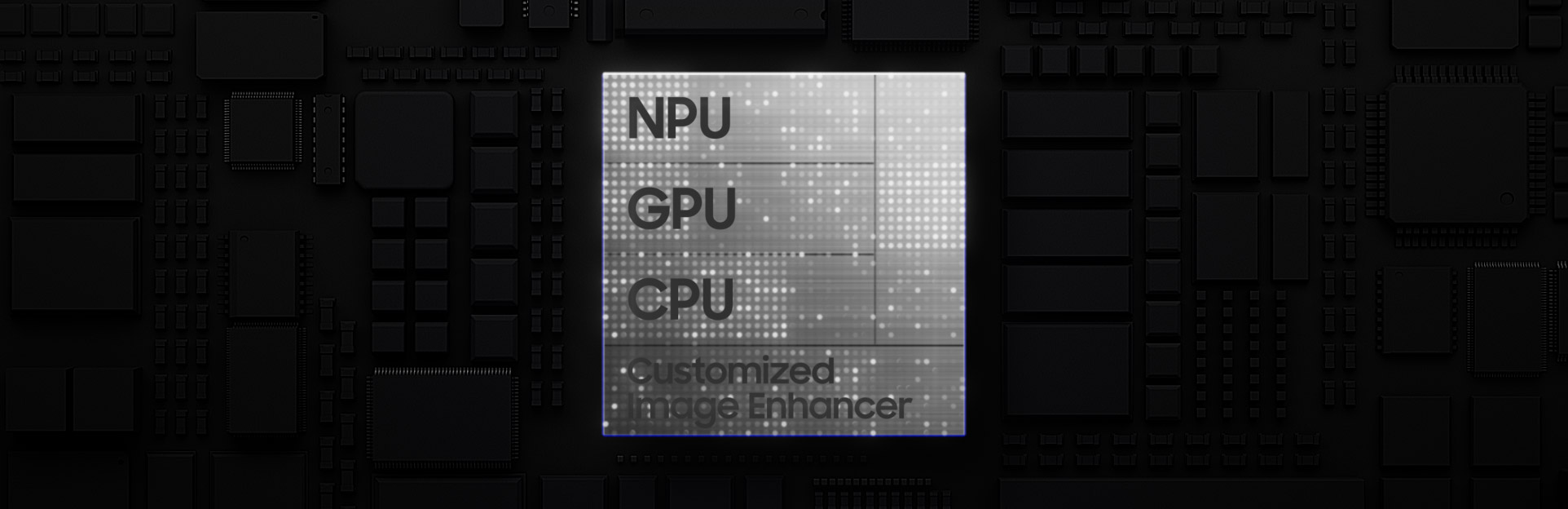
Galaxy S26 Ultra's customized chip is seen with NPU, GPU, CPU and Customized Image Enhancer. As it falls, light flows to the rest of the chipboard. Zooming out, the main screen of Galaxy S26 Ultra is seen. The original chip transforms to say AI.
Meet the latest and most powerful processor ever on Galaxy. It's engineered to unlock the full potential of Galaxy AI for heavy multitaskers, powering a customized image enhancer that sharpens and smooths visuals across apps and content in real time. Plus, a 39% boost to the advanced NPU and 24% greater graphics processing handles the most demanding titles for mobile gamers.
NPU39%faster AI performance
GPU24%improved graphics performance
CPU19%faster processing
than Galaxy S25 Ultra
The world’s first Privacy Display on mobile
Meet your built-in privacy screen, only on Galaxy S26 Ultra. Just manually switch on, and Privacy Display will use innovative technology to protect your private information by hiding your full screen from other people's view. Or, you can choose what you want to hide such as certain apps, all incoming notifications or for when you need to enter PINs and passwords in Settings, Lock Screen or Secure Folder.
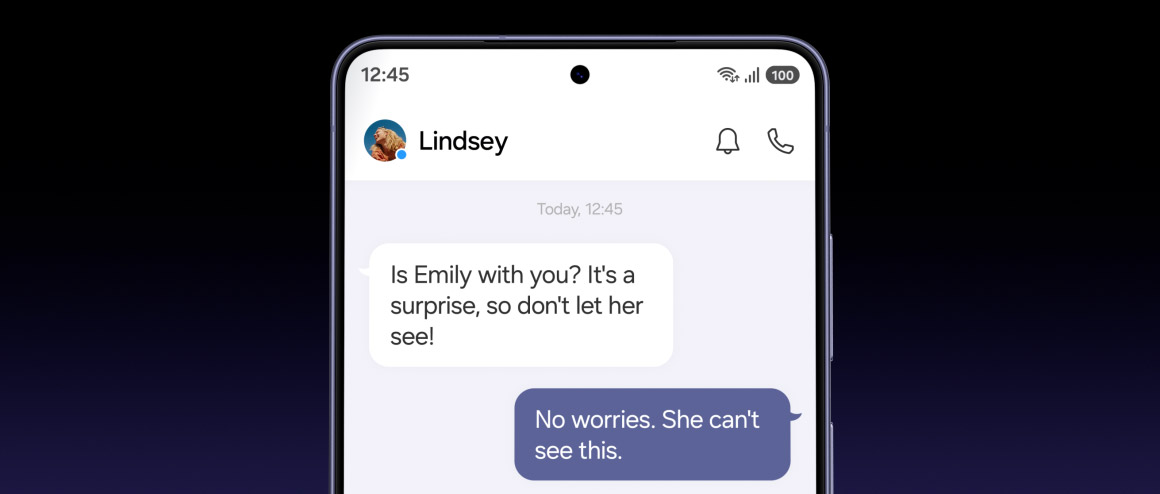
Close up of the screen of Galaxy S26 Ultra. A text message conversation is seen active on the screen. The device rotates slightly to the side and the whole screen becomes hidden from view.
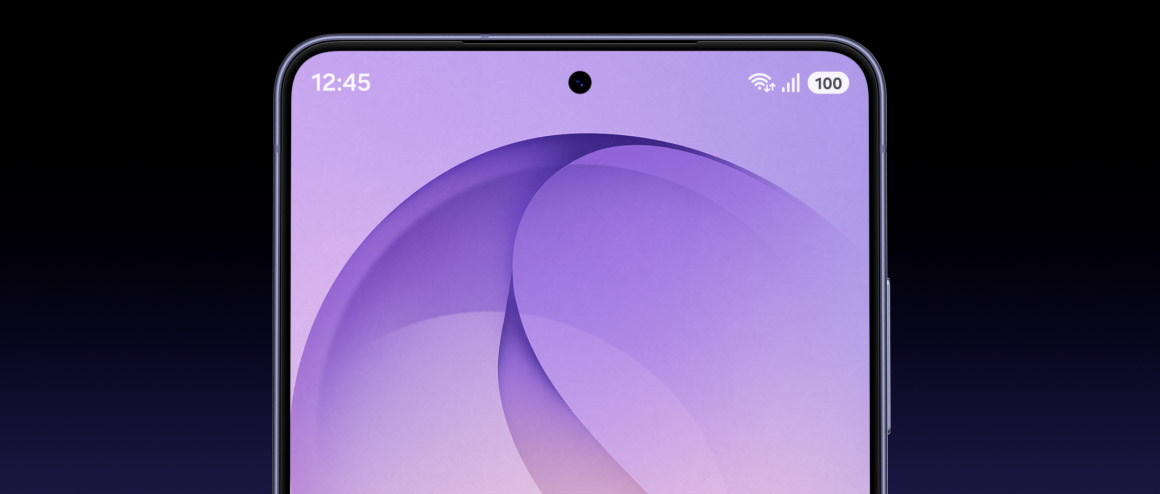
Close up of the screen of Galaxy S26 Ultra. An incoming notification is seen at the top of the screen. The device rotates slightly to the side and the notification becomes hidden from view because Privacy Display's settings have been customized.
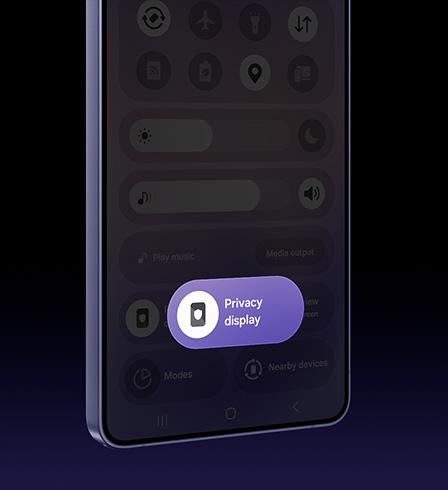
Instantly activate or deactivate Privacy Display from the Quick Panel, so your screen stays for your eyes only whenever you need it.
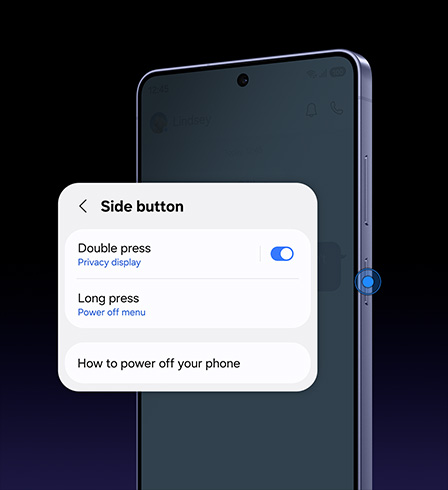
Go beyond the Quick Panel and set Privacy Display to turn on or off with a double press of the Side button. Enable it in Settings under Advanced features for faster control.
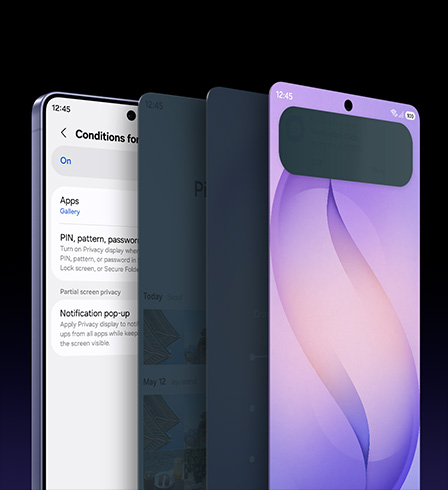
Take control of what stays private. From full-screen privacy for selected apps and PIN, password or pattern entry to partial privacy for incoming notifications, customize Privacy Display to work around you.
Upscale your viewing experience
The display's color depth processing precision makes a leap by 4 times, leveraging our advanced mobile Digital Natural Image engine (mDNIe) to ensure you see color and gradation exactly as the creator intended. From the deepest tones to the most vibrant hues, it enables a substantial boost in graphical performance. ProScaler also enhances details thanks to AI processing improvements, resulting in clearer images.
A before and after comparison depicts ProScaler effects. Color is also more enhanced with improved mDNIe technology.


Play it cool with our largest Vapor Chamber ever
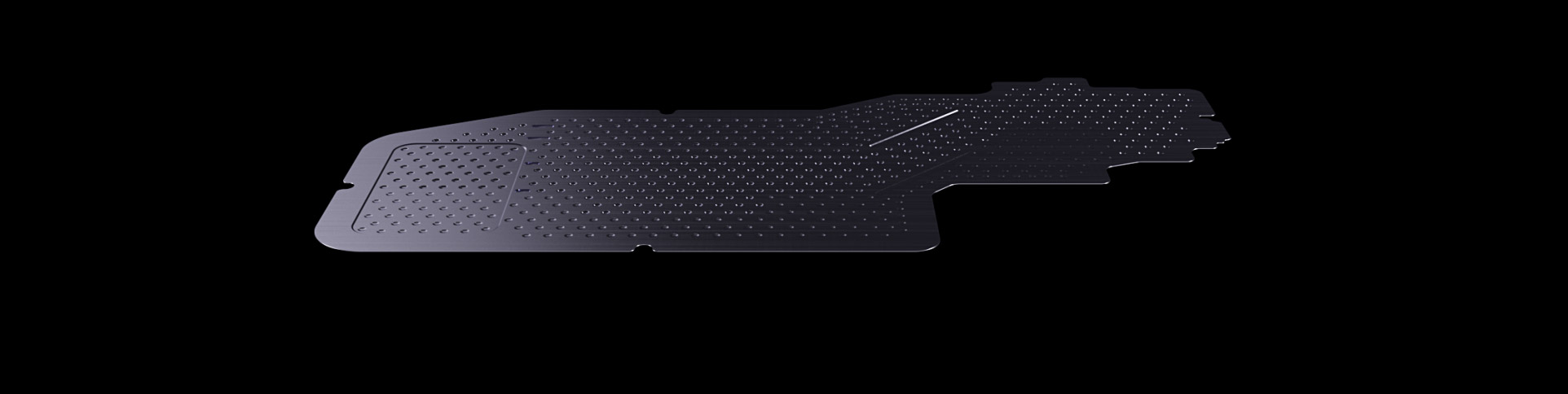
A new Vapor Chamber is seen horizontally. Galaxy S26 Ultra comes into view underneath and Vapor Chamber is seen dissipating heat more efficiently. It then disappears into the device and a game is seen being played on the main screen. Powered by Snapdragon 8 Elite Gen 5 for Galaxy.
Galaxy S26 Ultra is built for demanding sessions, whether you're running heavy-spec games or using Galaxy AI. Powered by Snapdragon® 8 Elite Gen 5 for Galaxy, it delivers amplified gaming performance with fast, smooth and highly responsive gameplay. And with advanced thermal management from the new Vapor Chamber design, heat is dissipated faster and more efficiently than ever before. Alongside the tailored thermal interface material (TIM), the enhanced cooling system enables 21% greater thermal performance. Vulkan-optimized games also effectively render light and shadows while ray tracing creates 3D images with more realistic colors and reflections — further enhanced by the device’s powerful Snapdragon processor customized for Galaxy.

*Copyright COGNOSPHERE. All Rights Reserved.
Ultra-fast charge. Ultra-long lasting
Galaxy S26 Ultra supports Super Fast Charging 3.0, engineered to refuel your device at blazing speeds without impacting battery health or your time.
Up to75%charge in around30mins
See how long Galaxy S26 Ultra's battery lasts
Galaxy S26 Ultra
31hrsof video playback
Up to75%charge in around30 mins
Comparison
1hrlonger video playback
not provide
Compare with
30hrsof video playback
Up to69%charge in around30 mins
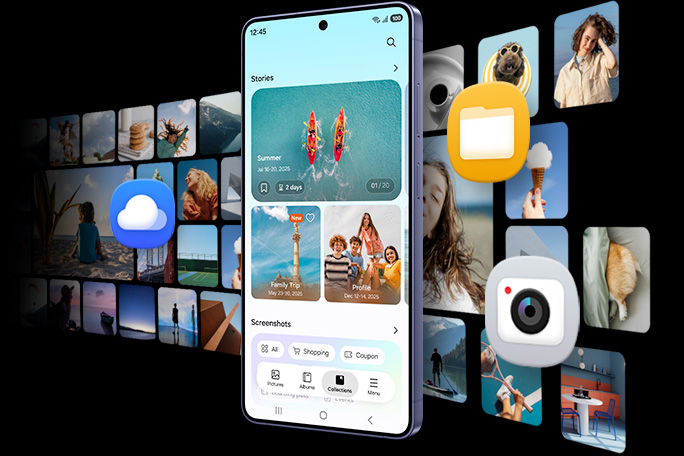
Keep your favorites close with up to 1 TB
Galaxy S26 Ultra comes with three storage options: up to 1 TB with 16 GB of memory and 512 GB or 256 GB with 12 GB of memory, so you can choose the capacity that fits how you use your phone. Choose 1 TB if you are a power user who loves gaming, captures hi-res videos often or downloads large apps without slowing down your phone. Or pick between 256 GB and 512 GB to keep your favorite photos and essential apps for daily use.
CAMERA
Clear and bright, even at night
Close up of Galaxy S26 Ultra's rear camera is seen. Zooming inside the lens, it transforms to a video being shot in low light. Thanks to Nightography, details remain vivid and clear.
Captured by Galaxy S26 Ultra #withGalaxy
Galaxy S26 Ultra sets a new benchmark for Nightography with wider apertures and noise reduction that deliver clear and detailed videos in low-light environments. The Wide camera now features a 47% brighter aperture that opens to F1.4, while the Telephoto camera opens to F2.9 for 37% improved brightness.When shooting videos at night, our advanced AP provides noise reduction on individual noise patterns unique to each sensor type, ensuring each frame remains sharp and vibrant. So you can confidently record cinematic moments after sunset, from bustling city streets to intimate gatherings, with more details than before.
Clearer moments with Nightography photo

Captured by Galaxy S26 Ultra #withGalaxy

Captured by Galaxy S26 Ultra #withGalaxy

Captured by Galaxy S26 Ultra #withGalaxy
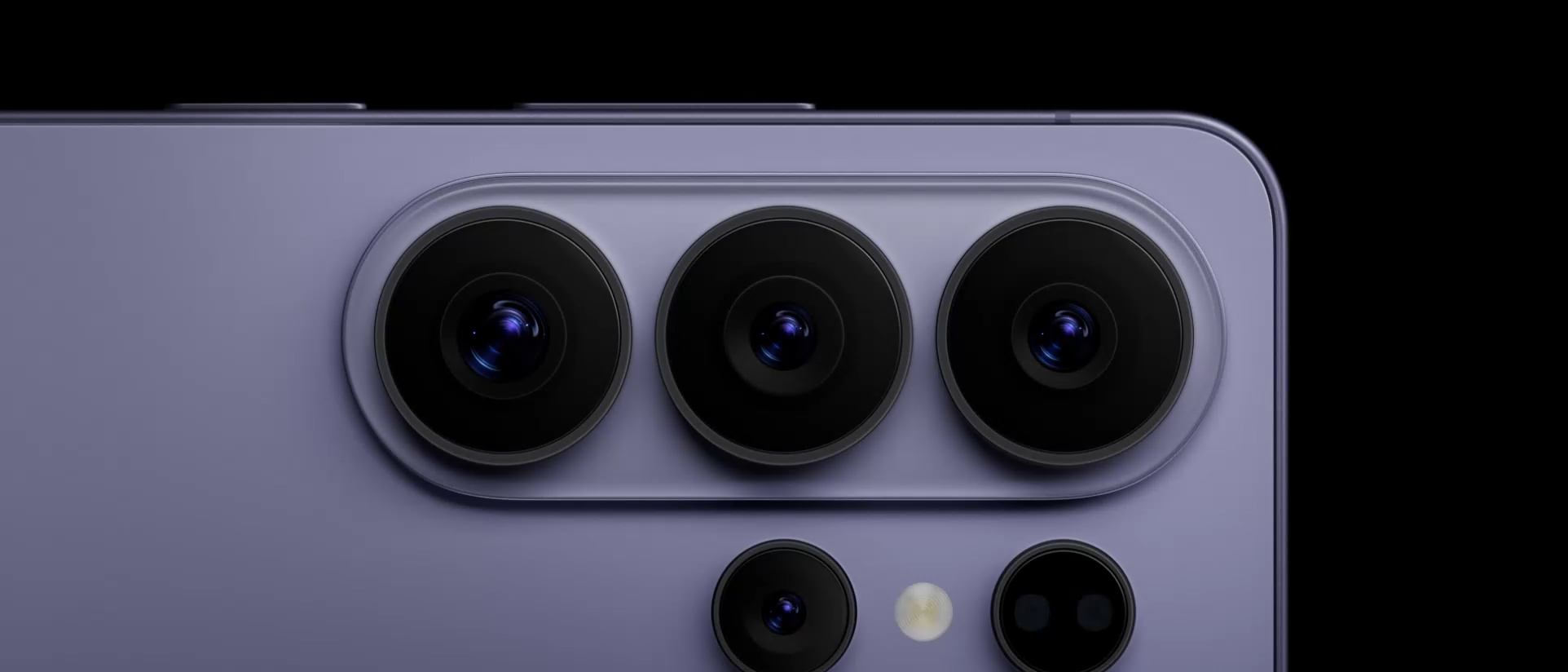
Check the specs on our best camera system
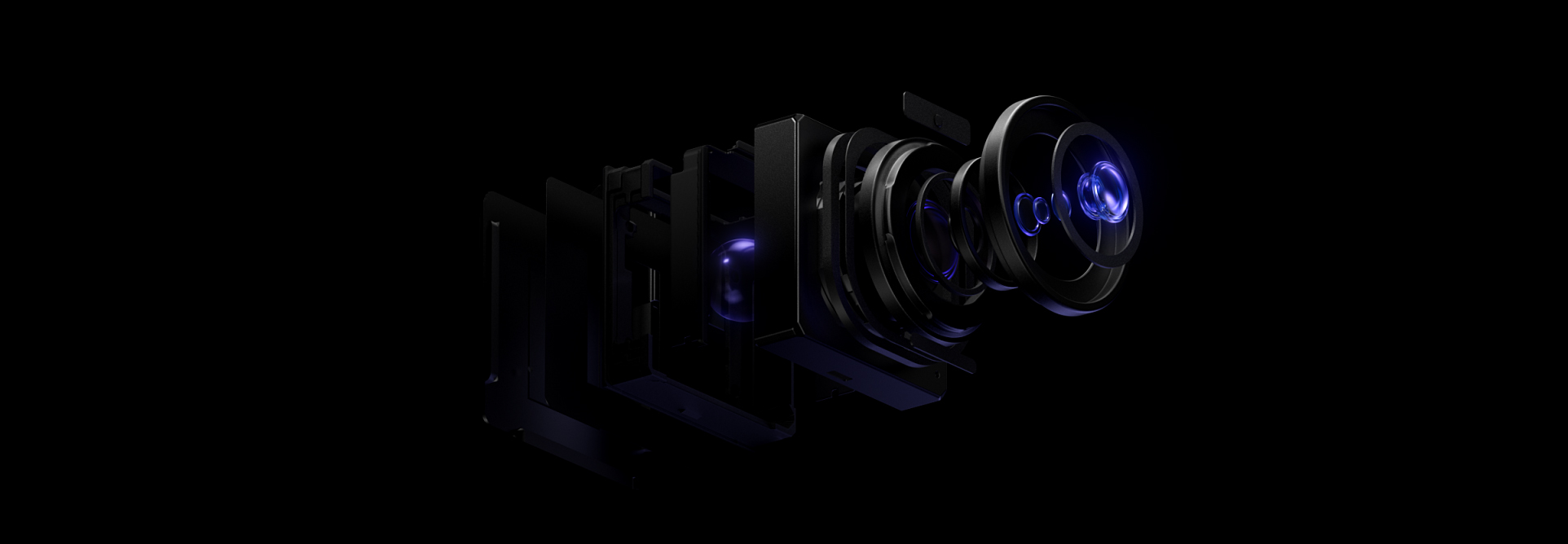
Parts of one of Galaxy S26 Ultra's camera lenses are seen coming together to reveal the full camera system on the back of the device. Another device appears from behind the first one and is seen from the main screen.
See the difference in camera specs
Galaxy S26 Ultra
200MPWide F1.4
50MPUltra Wide F1.9
50MPTelephoto F2.9
Compare with
200MPWide F1.7
12MPUltra Wide F2.2
50MPTelephoto F3.4
Super Steady Video. Even on the go
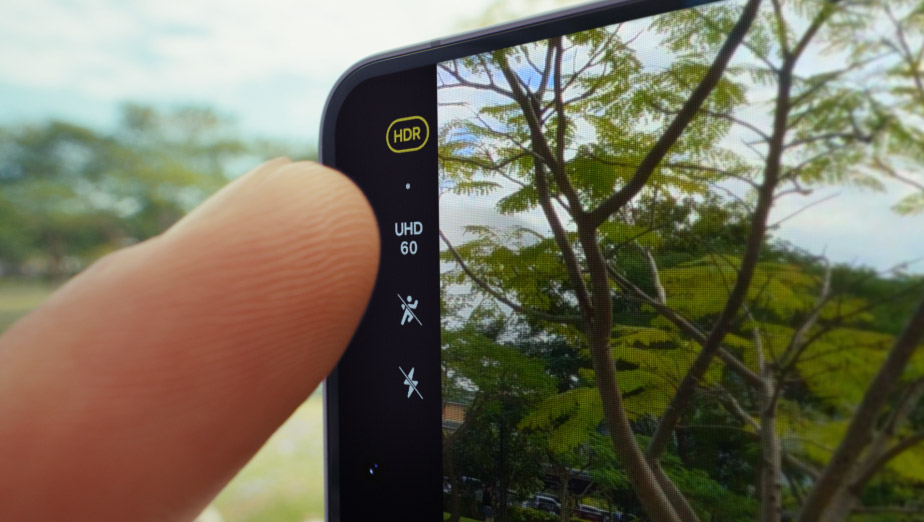
A video is about to be shot on Galaxy S26 Ultra. In Super Steady, the user presses the Horizontal Lock icon and then presses record. Next, device is seen from the back as it is held by someone who is running. Then, the screen shows the user is recording a pet running. Even as they both run, the video remains level.
High resolution with Ultra 200 MP
Built around a 200 MP Wide camera sensor and enhanced by our ProVisual Engine, Galaxy S26 Ultra is engineered to capture the finest details. High-resolution image data is analyzed in real time to maintain crisp textures and clarity across the whole scene for rich, true-to-life photos.

Captured by Galaxy S26 Ultra #withGalaxy
Space Zoom. See the unseen
Bring far away into focus, from 1x optical perfection to staggering 100x AI-powered Space Zoom — stabilizing your view and enhancing clarity instantly.23
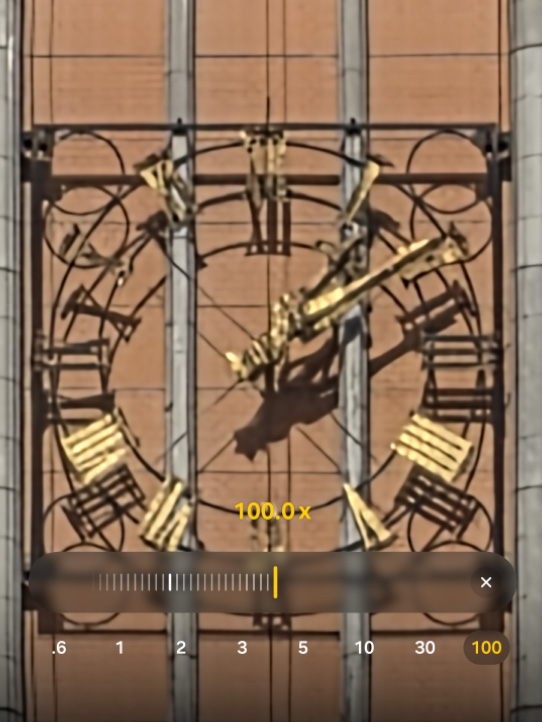
A photo is being shot at 100 times zoom. Then, 10 times zoom, 3 times zoom, 0.6 times zoom and 30 times zoom. Whether zoomed in or out, details remain clear with Space Zoom.
Captured by Galaxy S26 Ultra #withGalaxy
Make every selfie your best shot
Galaxy S26 Ultra's front camera now features an AI image signal processor (ISP) for more natural selfies with highlights and shadows where they should be — true to your natural skin tone and other details such as hair and eyebrows, just as your eyes see them.

Captured by Galaxy S26 Ultra #withGalaxy

Captured by Galaxy S26 Ultra #withGalaxy

Captured by Galaxy S26 Ultra #withGalaxy

Captured by Galaxy S26 Ultra #withGalaxy

Captured by Galaxy S26 Ultra #withGalaxy
Galaxy AI

GALAXY AI
Photo Assist.
Studio-level edits. Built in
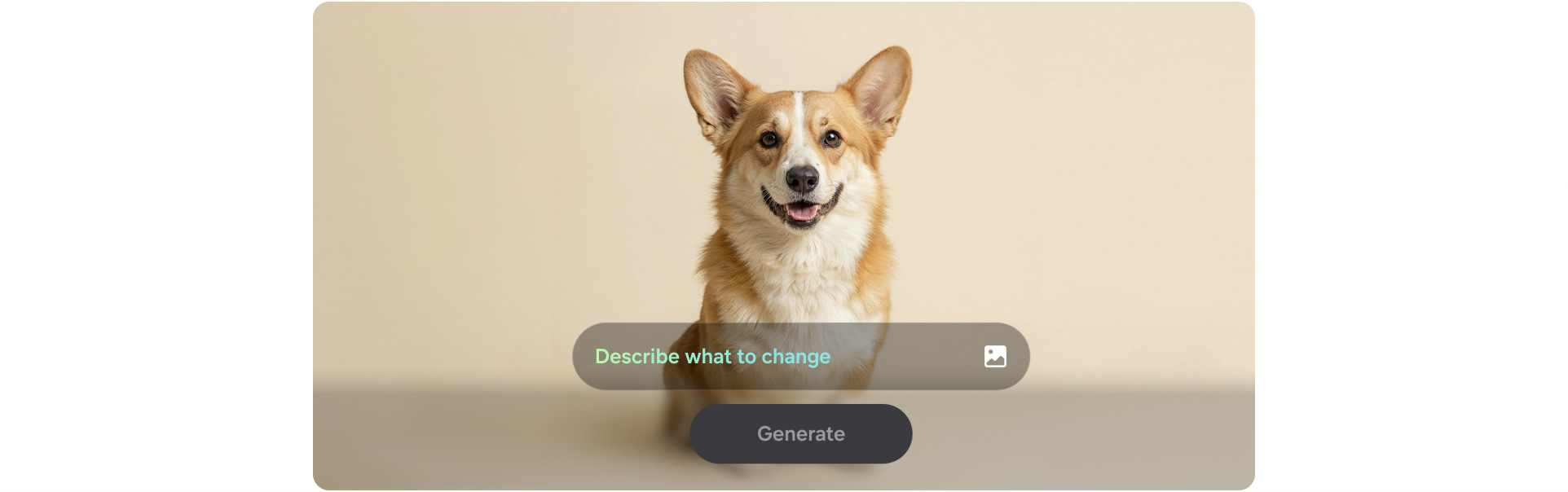
A photo of a dog is seen. In Photo Assist, the user can describe what to change by inputting a text prompt. After typing 'Make this his birthday party', the Generate button is pressed. Galaxy AI transforms the photo by adding various birthday themed accessories on and around the dog.
From photos to stickers in a tap
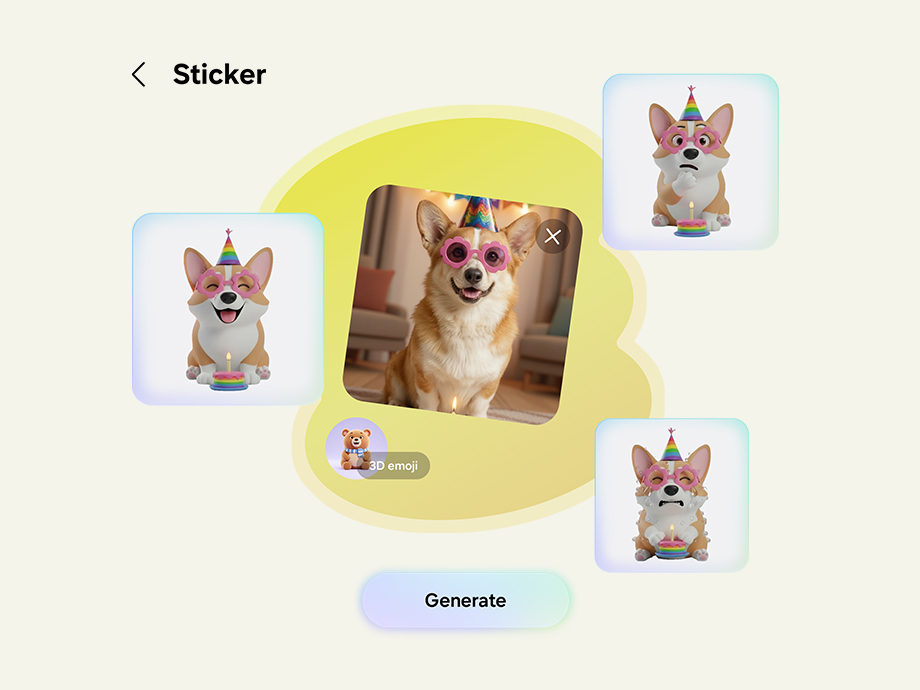
Real-time suggestions when you need it
Now Nudge
Powered by Galaxy AI, all-new Now Nudge can pick up on context on your screen and prompt you with helpful shortcuts. It intelligently minimizes the steps to your next action and even provides Autofill suggestions.Photos can be found and sent more easily. If someone asks for pictures from a recent trip, Now Nudge will understand which snaps you'll need and find them for you. It'll then take you to these specific photos in your Gallery, allowing you to select and send in just a few taps.

During a text conversation, someone asks for photos from a trip to Seoul. Now Nudge intelligently prompts the user with a Share photos button. When pressed, a search bar with the keywords Seoul photos appears and then a Gallery pop up shows the relevant photos. The user can then view and select photos. Once selected, they can be sent instantly to the friend.
Now Brief
Keep your day simplified with Now Brief. It can now track your day-to-day and understand your habits better than before. Exercise playlist recommendations and reminders about important events, like booking details and special travel moments, are now all available as bite-sized briefs sent throughout the day.
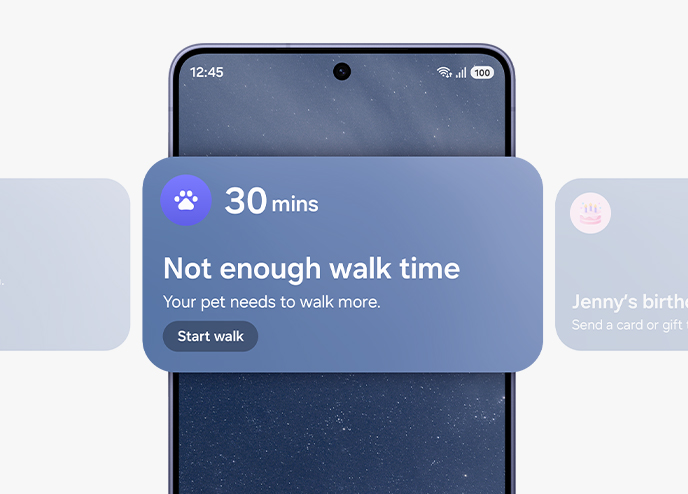
A widget from Now Brief is seen on the main screen of Galaxy S26 Ultra. It is letting the user know that their pet hasn't had enough walk time today. Now Brief's widgets scroll across to show two other notifications. Next, a birthday reminder and then, flight reservation details.
Bixby.
Smart help, always available
Need help fast? Ask Bixby. It’s your personal device controller, now with the power to deliver a guide to help you learn how to use features and adjust settings for added convenience. If it's quick answers you need, it will even search the web for you in response to your natural, conversation-like questions.27
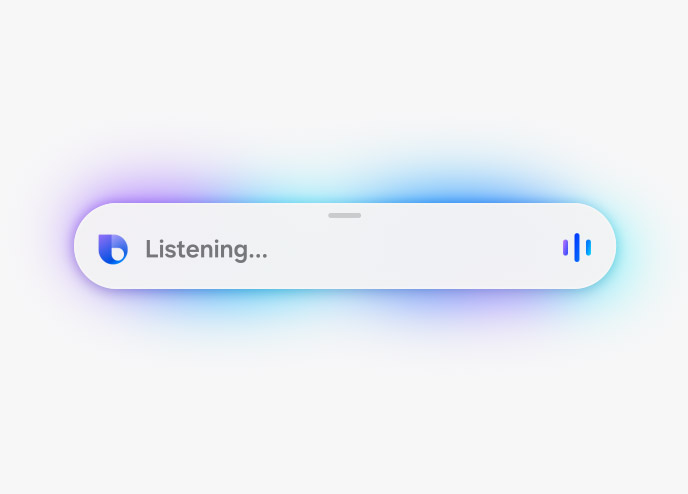
Bixby helps you change device settings quickly and easily. Bixby is listening for a command. The user tells Bixby that they don't want people around them to see their screen. Bixby toggles on Privacy Display and lets the user know that Privacy Display has been turned on.
ONE UI 8.5
Your Galaxy. Your way
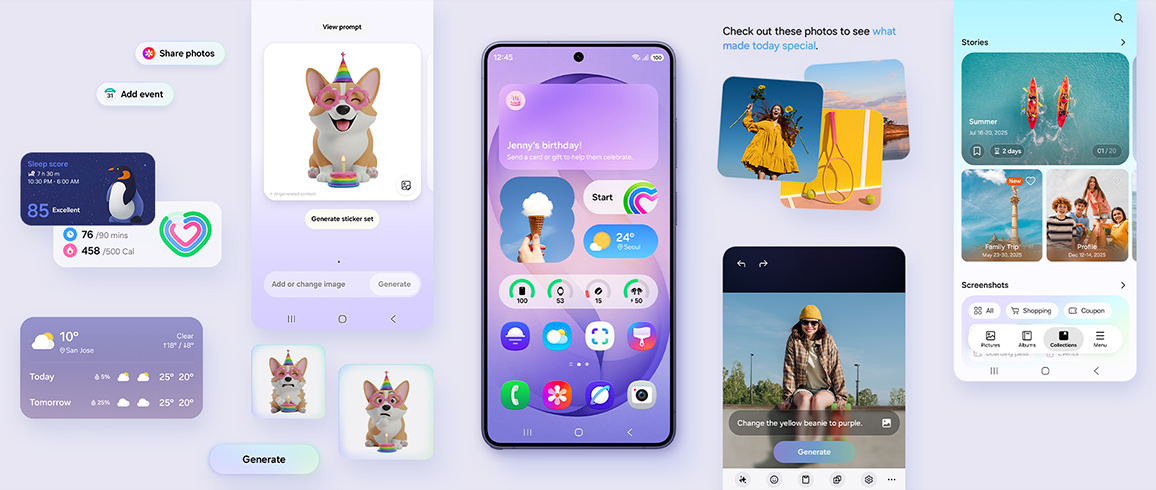
Built to adapt to you, One UI 8.5 personalizes your Galaxy based on how you use it day-to-day. Designed to be simple and intuitive, contextual reminders from Now Brief and intelligent suggestions from all-new Now Nudge and AI Select make daily tasks easier in just a tap.
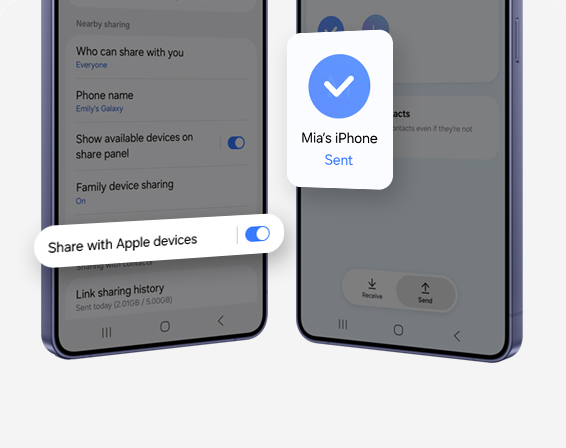
Quick Share.Now open to AirDrop
Share content with ease. Now with AirDrop® compatibility, Quick Share lets you seamlessly send and receive photos, videos and files between your Galaxy and iPhone, iPad or macOS devices.
Privacy by default. Protected by Knox
We’re committed to protecting your information, while providing transparency about how it’s used and shared.
On-device Protection
Our Personal Data Engine gathers and processes your personal data safely. Then it encrypts that data and saves it onto your device with KEEP and Knox Vault, making it harder for anyone else to gain access.
Tailored Controls
Take control over your Galaxy AI. You decide where it gets processed, either on-device or in the cloud.
Connected Security
Knox Matrix Trust Chain technology provides security across Galaxy connected devices so you can monitor the security of other devices right from your Galaxy smartphone.
CIRCLE TO SEARCH
Circle it, find it
Use Circle to Search with Google to find multiple items of a look by simply circling an outfit on your screen, and it will help you find every piece — from tops to footwear and everything in between — all in one search. You can circle it, search it and find the look, all from exactly where you are.

| Brand | Samsung |
|---|---|
| Operating System | Android |
| Screen Size | 6.9" |
| Internal Memory | 512GB |
| RAM | 12GB |
| Main Camera Pixel | 200 |
| Dual Sim | Yes |
| Expandable Memory | Yes |
| Warranty | 1 Year Manufacturer |
| Shipping | Same Day From Lahore |
| Color | Black |