Introducing the NewGalaxy S26 | S26+


"The Samsung Galaxy S26 series wins in the AI department."
"With advanced AI integration, enhanced performance, and robust privacy features, the Galaxy S26 series sets a new standard for flagship smartphones."
MEET YOUR NEW AI PHONE
Design
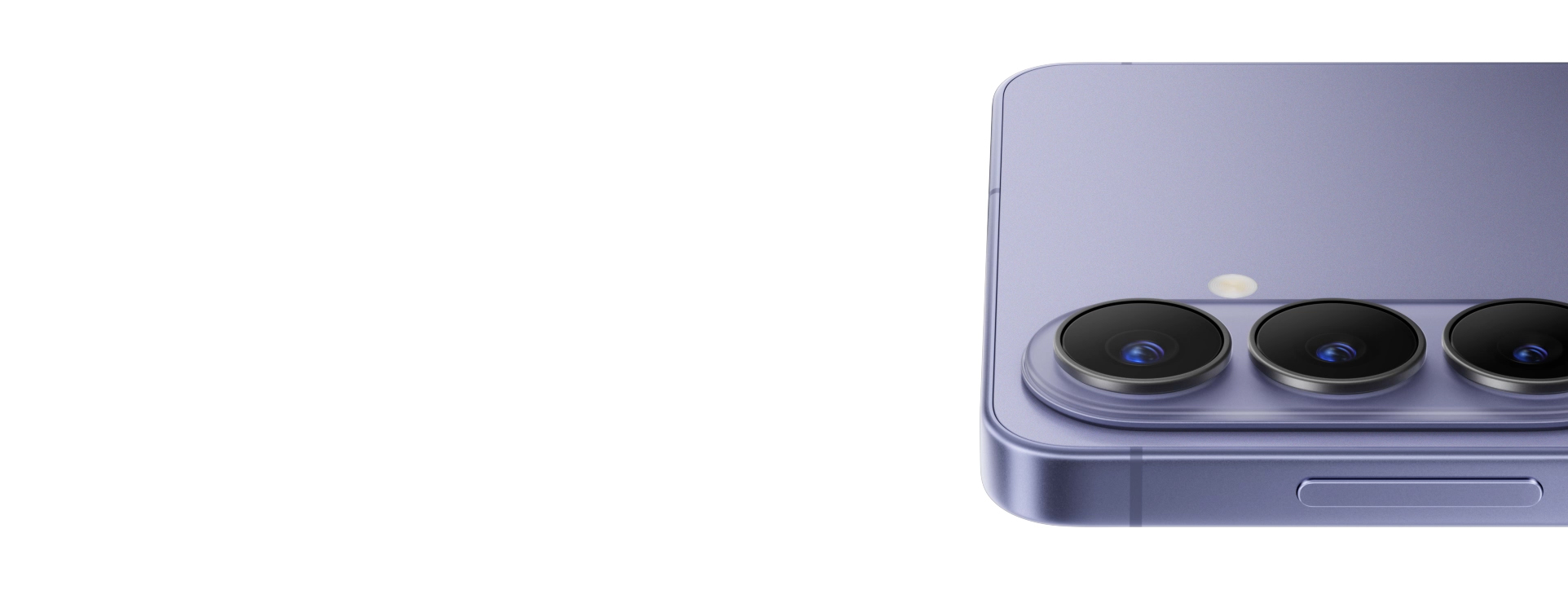
Introducing a new translucent camera island as part of a unified design that looks and feels perfect in any hand.
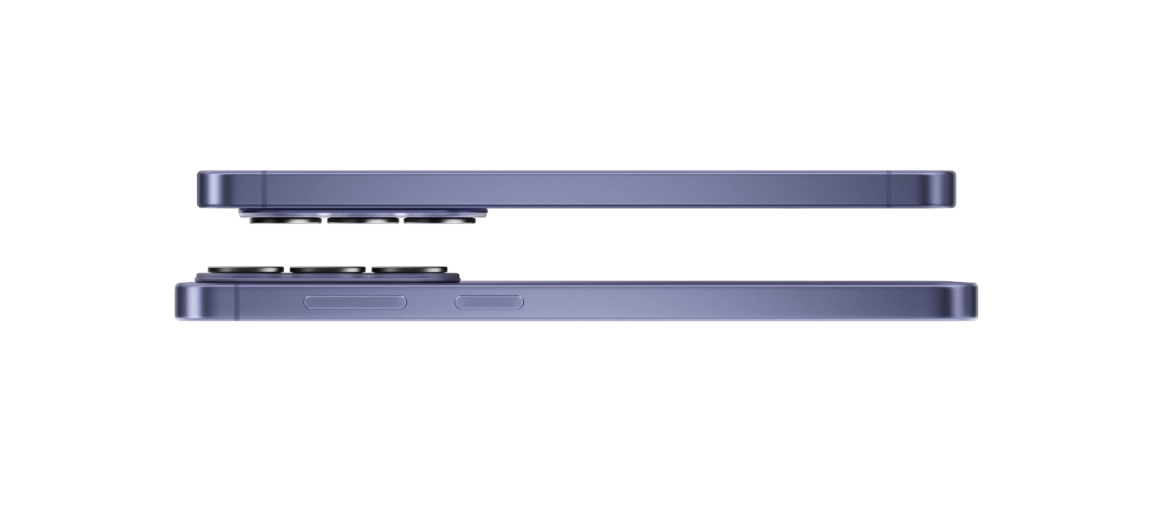
Galaxy S26 and S26 plus are seen from a side view to show their slim profiles. Both devices rotate together until Galaxy S26 is seen from the main screen and Galaxy S26 plus is seen from the back.
Performance
Our customized processor delivers speed, smooth visuals and performance that keeps you ahead of the game.
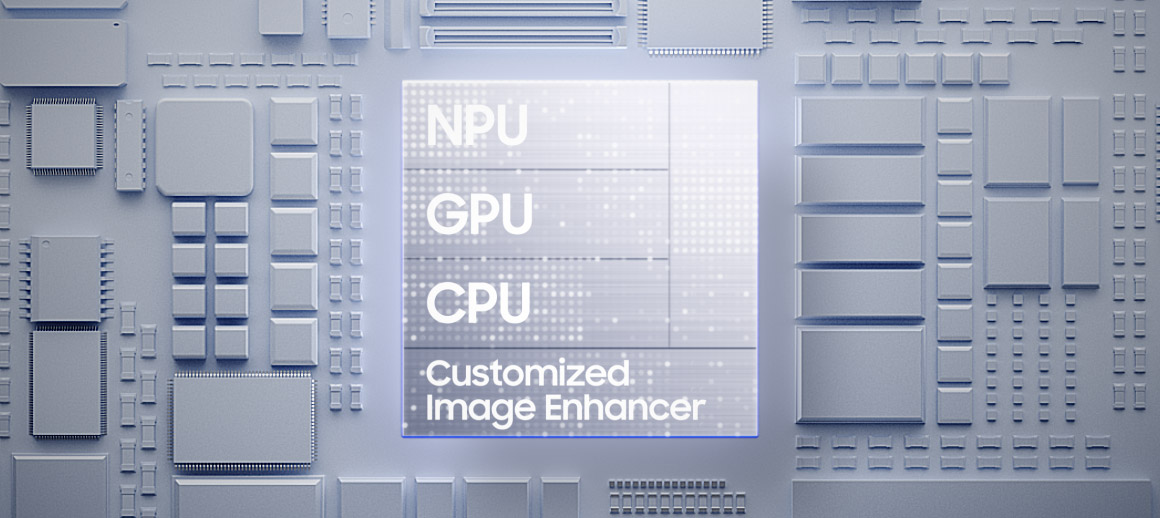
Galaxy S26 plus's customized chip is seen with NPU, GPU, CPU and Customized Image Enhancer. As it falls, light flows to the rest of the chipboard. Zooming out, the main screen of Galaxy S26 plus is seen. The original chip transforms to say AI.
Nightography Video
AP-driven image processing brightens scenes, sharpens details and reduces noise even in dark environments.

A video is being shot in low light. When shooting night videos, details remain vivid and clear.
Photo Assist
Get quick and easy photo editing by writing prompts using natural language, and Galaxy AI will take care of the rest.
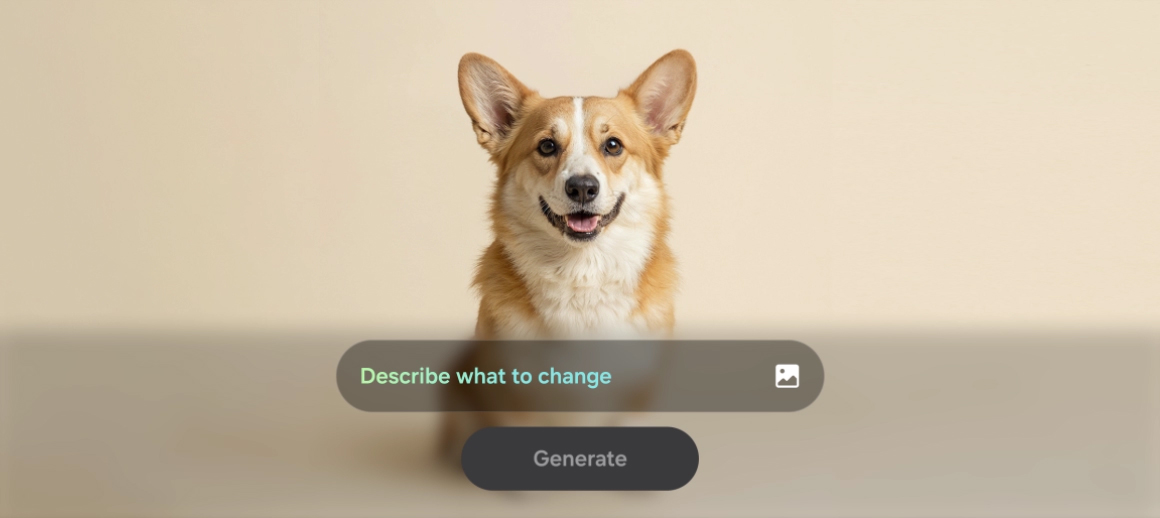
A photo of a dog is seen. In Photo Assist, the user can describe what to change by inputting a text prompt. After typing 'Make this his birthday party', the Generate button is pressed. Galaxy AI transforms the photo by adding various birthday themed accessories on and around the dog.
Key specs at a glance
Design
7.3mmThickness
190gWeight
Camera
50MPWide
AP
Customized Processor Improved NPU, GPU, CPU
Battery
31hrsof video playback
Charge
Up to69%in around 30 mins
DESIGN
Designed to redefine
Galaxy S26 plus is seen coming into a side view to show the slim profile. S26 then appears next to the first device. Both devices rotate together until Galaxy S26 is seen from the main screen and Galaxy S26 plus is seen from the back.
Meet Galaxy S26 and S26+, our powerful AI phones, unified by a single corner radius that flows across every model and feels perfect in any hand.
See the details up close
Cobalt VioletSky BlueBlackWhite
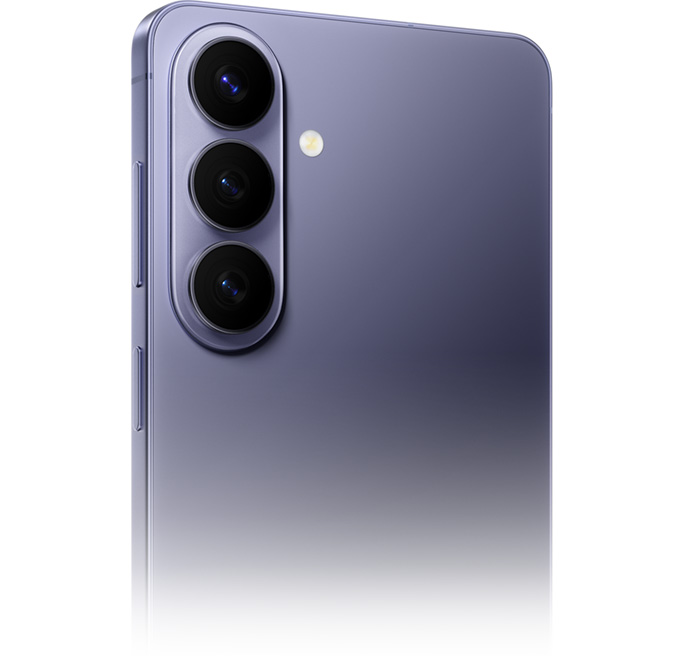
Close up of Galaxy S26 plus in Cobalt Violet from the back highlighting the new camera design.
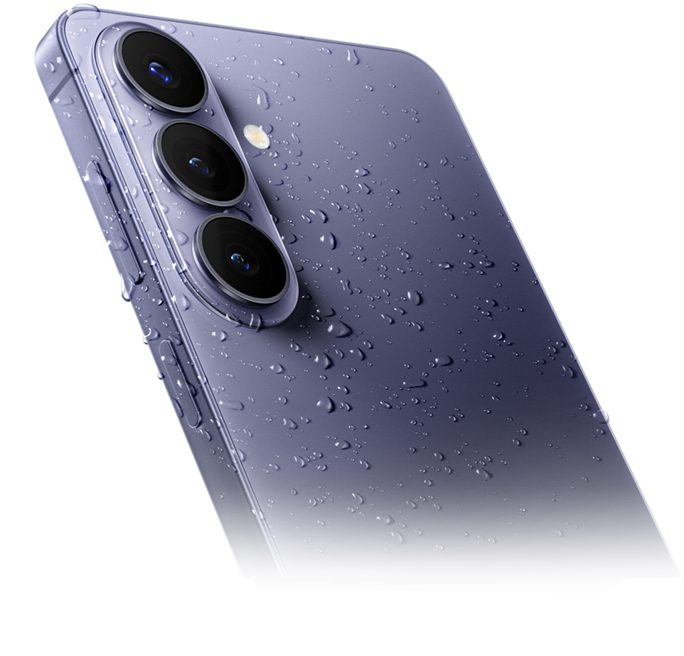
Galaxy S26 plus in Cobalt Violet is seen from the back at a slight angle with water droplets on the device.
Galaxy S26 plus in Cobalt Violet is seen from the side to show the slim profile.
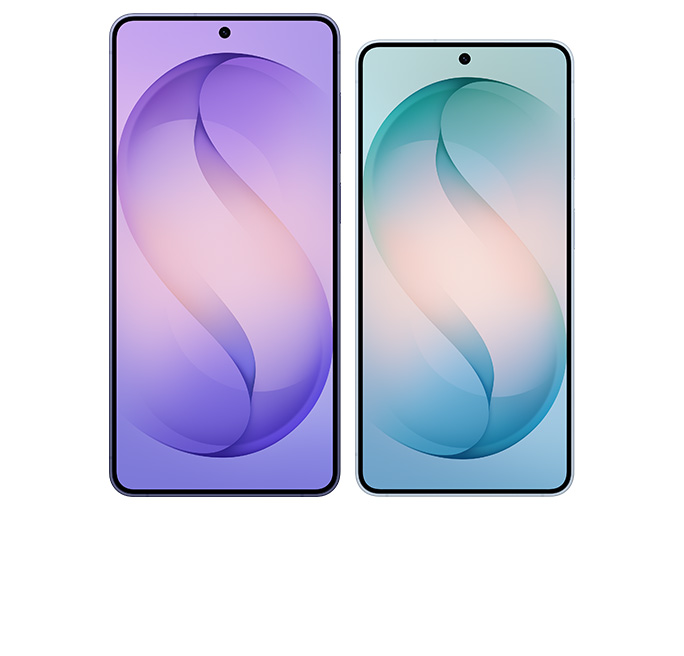
Galaxy S26 and S26 plus are seen side by side from the main screen to show the difference in size.

See how thin and light Galaxy S26 | S26+ are
Galaxy S26
7.2mmThickness
167gWeight
Galaxy S26+
7.3mmThickness
190gWeight
Comparison
0.4mmThinner
6gLighter
Compare with
7.7mmThickness
196gWeight
Compared with Galaxy S26+ only.
PERFORMANCE
Our powerful processor, customized for Galaxy
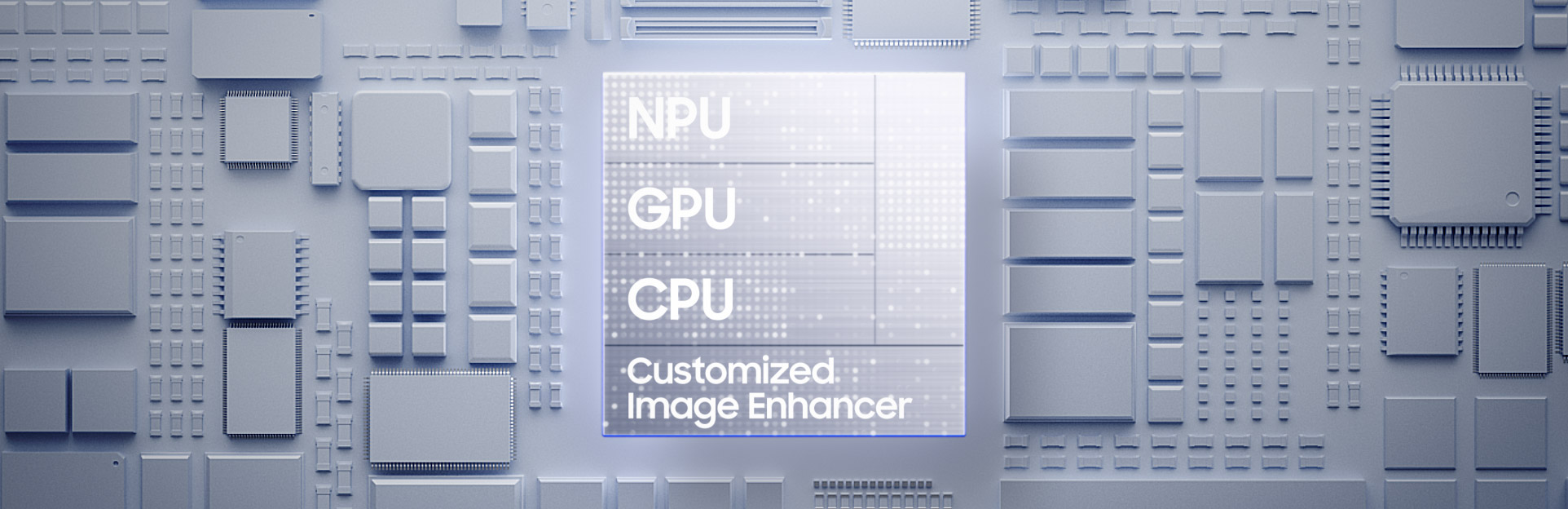
Galaxy S26 plus's customized chip is seen with NPU, GPU, CPU and Customized Image Enhancer. As it falls, light flows to the rest of the chipboard. Zooming out, the main screen of Galaxy S26 plus is seen. The original chip transforms to say AI.
From epic quests to real-time multiplayer, the customized processor delivers blazing speed and powers a customized image enhancer that helps content look clear and vivid. Plus, a 38% boost to the advanced NPU and 23% smoother visuals keep you ahead of the game.
NPU38%faster AI performance
GPU23%improved graphics performance
CPU7%faster processing
than Galaxy S25+
Upscale your viewing experience
Witness the full spectrum. Enhanced color and light representation from our advanced mobile Digital Natural Image engine (mDNIe) technology delivers 4 times better processing precision for richer tones. This results in a substantial boost in graphic performance. ProScaler also gives every image the impact it deserves, thanks to AI processing improvements, providing true-to-life details for an immersive experience.
A before and after comparison depicts ProScaler effects. Color is also more enhanced with improved mDNIe technology.


Play longer. Stay cooler
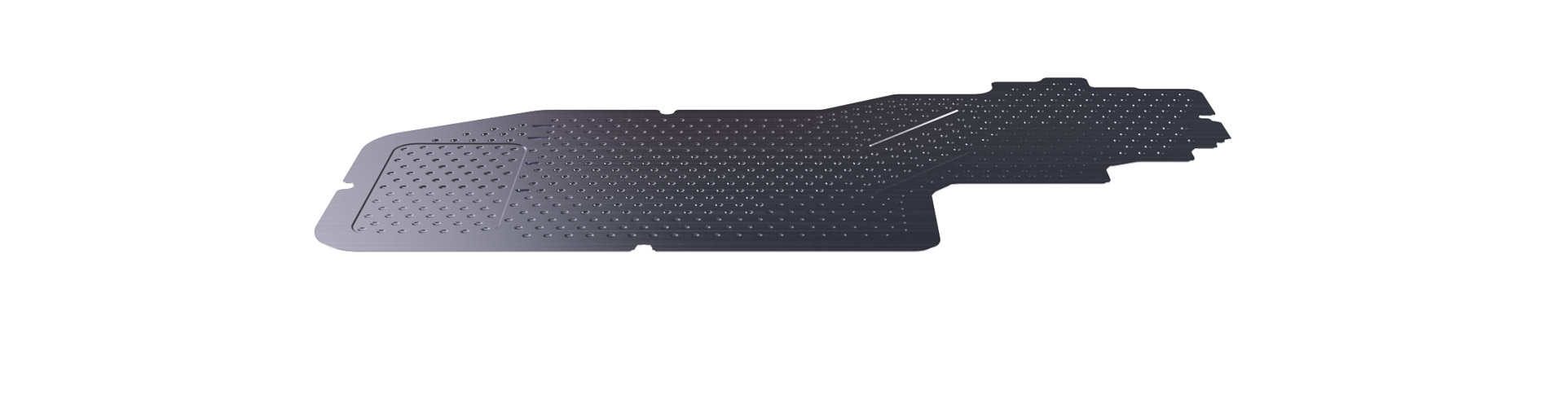
A new Vapor Chamber is seen horizontally. Galaxy S26 plus comes into view underneath and Vapor Chamber is seen dissipating heat more efficiently. It then disappears into the device and then a video plays on the screen.
Stay cool when the action heats up. The redesigned Vapor Chamber and tailored thermal interface material (TIM) support the high-performing customized processor during demanding sessions. By spreading heat more efficiently, they provide up to 29% enhanced heat dissipation for cooler operation. Further supported by ray tracing and Vulkan optimization, your device maintains peak performance while watching hours of videos and delivers smooth visuals and lightning-fast rendering without breaking a sweat.
Power up quickly
Your day, uninterrupted. Fast wired charging gets you back to full power in no time – up to 69% charge in around 30 minutes – and keeps you in your flow.
Up to69%charge in around30mins
See how long Galaxy S26 | S26+'s batteries last
Galaxy S26
30hrsof video playback
Up to55%charge in around30 mins
Galaxy S26+
31hrsof video playback
Up to69%charge in around30 mins
Comparison
0hrslonger video playback
not provide-
Compare with
31hrsof video playback
Up to69%charge in around30 mins
*Compared with Galaxy S26+ only.
Storage for everyday moments
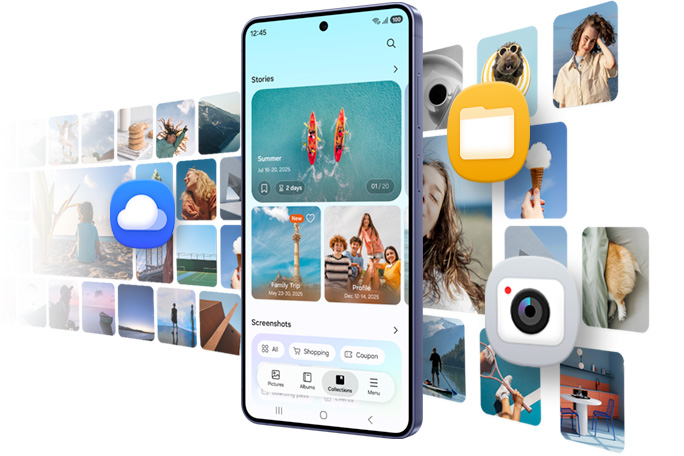
Galaxy S26 and S26+ come with 12 GB of memory and two storage options: 256 GB or 512 GB so you can choose the capacity that fits how you use your phone. Choose 256 GB to keep your favorite photos and essential apps for daily use. Or upgrade to 512 GB if you like gaming, capture hi-res photos often or download larger apps without slowing down your phone.
CAMERA
Clear and bright, even at night




A scenic video is being shot in low light. Details in the background are vivid and clear thanks to Nightography.
From city lights to candlelight, Nightography lets nights shine so you can capture special moments more clearly. The next-gen camera system captures a broader dynamic range, ensuring shadows and highlights remain clear and vivid. The advanced AP then provides noise reduction based on individual noise patterns unique to each sensor type, delivering footage that feels natural and cinematic even in low-light environments.
Check the specs on our powerful camera system
Powered by ProVisual Engine, the advanced 50 MP camera elevates every shot, enhancing your subjects with smarter detail, richer color and clarity that keeps up with your imagination.
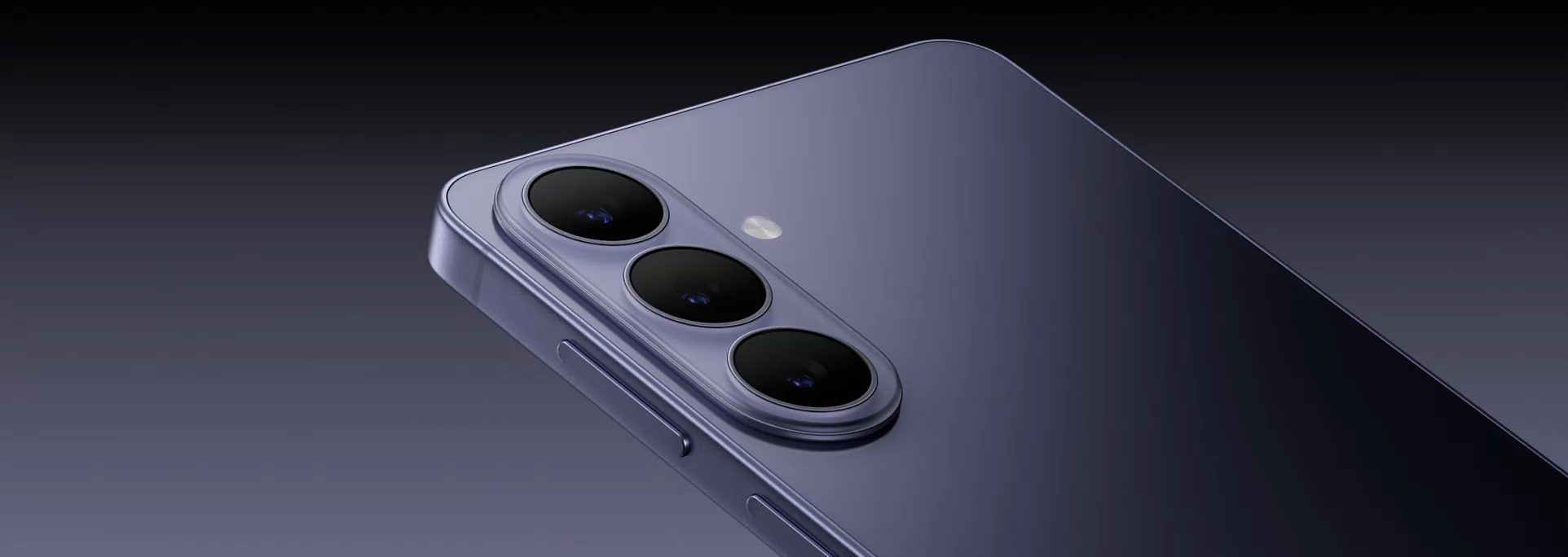
Close up of Galaxy S26 plus's rear camera is seen. Each lens pops up and then another device slides up near it and is seen from the main screen.
Super Steady Video. Even on the go
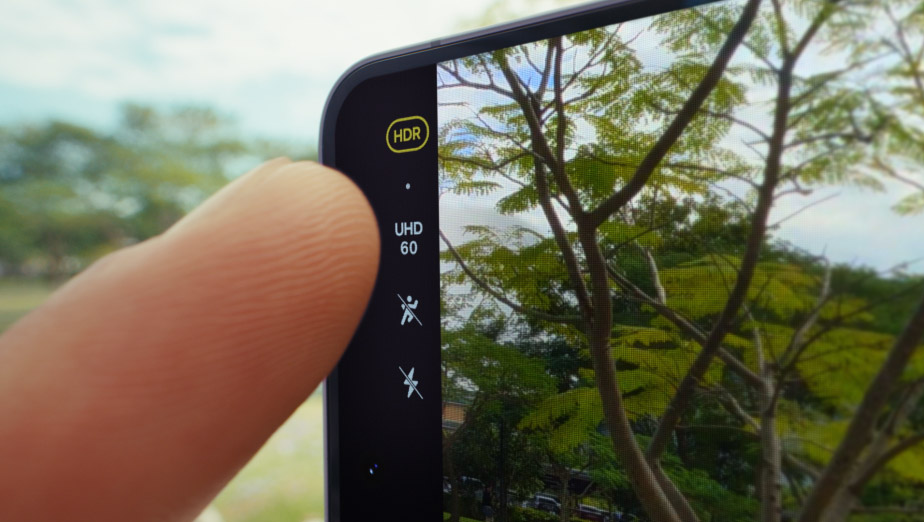
A video is about to be shot on Galaxy S26 Series device. In Super Steady, the user presses the Horizontal Lock icon and then presses record. Next, device is seen from the back as it is held by someone who is running. Then, the screen shows the user is recording a pet running. Even as they both run, the video remains level.
Close. Closer. Whoa




Tap to Zoom
Adjust your framing with zoom clarity that stays consistent across various distances — from 0.6x to 3x optical zoom, your photos remain sharp and detailed. And with up to 30x digital zoom total, whether you're close up or far away, you'll get the shot you want.
Make every selfie your best shot
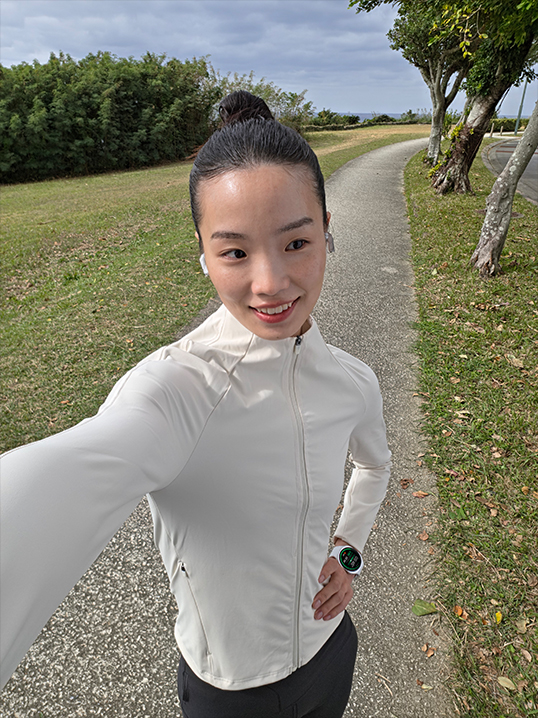
Galaxy S26 and S26+'s front cameras now feature an AI image signal processor (ISP) for more natural selfies with highlights and shadows where they should be — true to your natural skin tone and other details such as hair and eyebrows, just as your eyes see them.
Galaxy AI

GALAXY AI
Photo Assist.
Studio-level edits. Built in

A photo of a dog is seen. In Photo Assist, the user can describe what to change by inputting a text prompt. After typing 'Make this his birthday party', the Generate button is pressed. Galaxy AI transforms the photo by adding various birthday themed accessories on and around the dog.
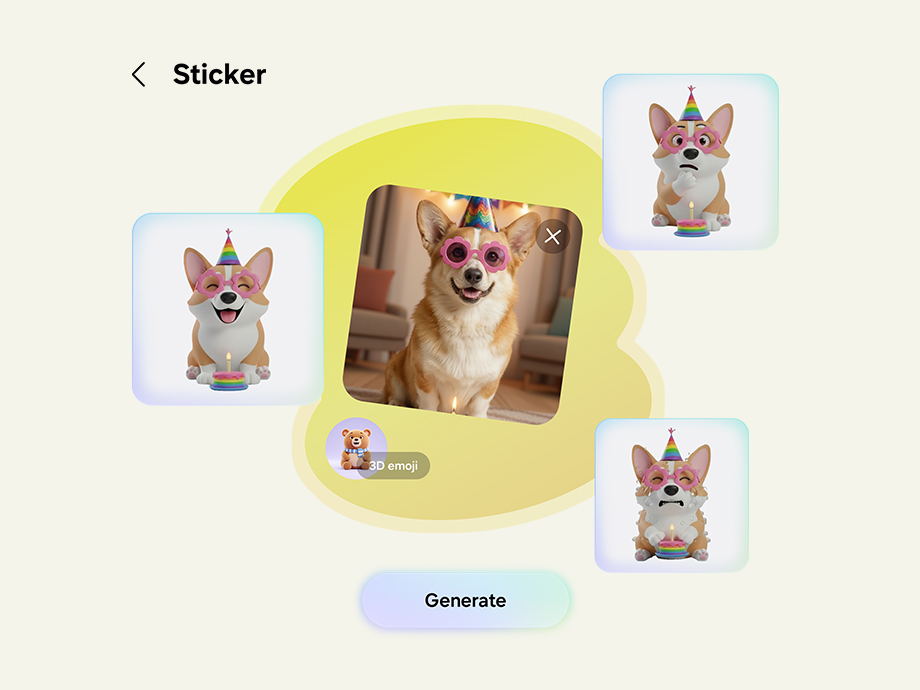
From photos to stickers in a tap
Real-time suggestions when you need it
Now Nudge
Powered by Galaxy AI, all-new Now Nudge can pick up on context on your screen and prompt you with helpful shortcuts. It intelligently minimizes the steps to your next action and even provides Autofill suggestions.Photos can be found and sent more easily. If someone asks for pictures from a recent trip, Now Nudge will understand which snaps you'll need and find them for you. It'll then take you to these specific photos in your Gallery, allowing you to select and send in just a few taps.27

During a text conversation, someone asks for photos from a trip to Seoul. Now Nudge intelligently prompts the user with a Share photos button. When pressed, a search bar with the keywords Seoul photos appears and then a Gallery pop up shows the relevant photos. The user can then view and select photos. Once selected, they can be sent instantly to the friend.
Now Brief
Keep your day simplified with Now Brief. It can now track your day-to-day and understand your habits better than before. Exercise playlist recommendations and reminders about important events, like booking details and special travel moments, are now all available as bite-sized briefs sent throughout the day.
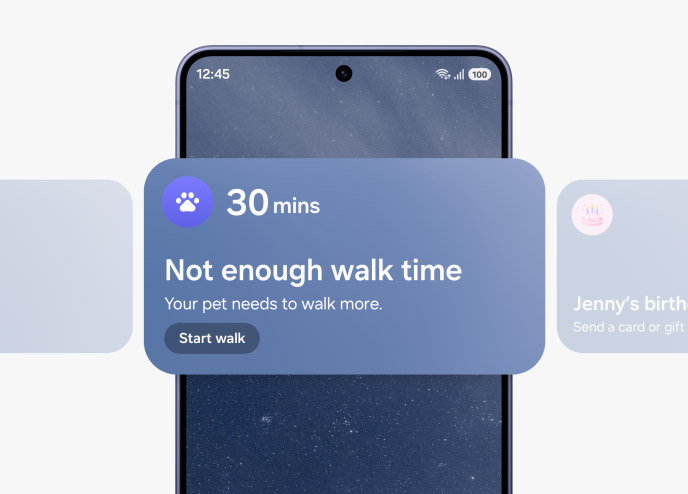
A widget from Now Brief is seen on the main screen of Galaxy S26 plus. It is letting the user know that their pet hasn't had enough walk time today. Now Brief's widgets scroll across to show two other notifications. Next, a birthday reminder and then, flight reservation details.
Bixby.
Smart help, always available
Need help fast? Ask Bixby. It’s your personal device controller, now with the power to deliver a guide to help you learn how to use features and adjust settings for added convenience. If it's quick answers you need, it will even search the web for you in response to your natural, conversation-like questions.
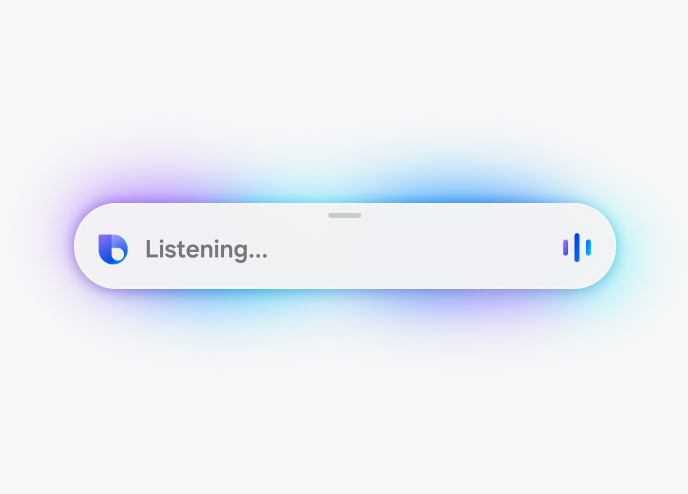
Bixby helps you change device settings quickly and easily. Bixby is listening for a command. The user tells Bixby that their eyes are getting tired and can it make the screen less intense. Bixby toggles on Eye comfort shield and lets the user know that Eye comfort shield has been turned on.
ONE UI 8.5
Your Galaxy. Your way

Built to adapt to you, One UI 8.5 personalizes your Galaxy based on how you use it day-to-day. Designed to be simple and intuitive, contextual reminders from Now Brief and intelligent suggestions from all-new Now Nudge and AI Select make daily tasks easier in just a tap.
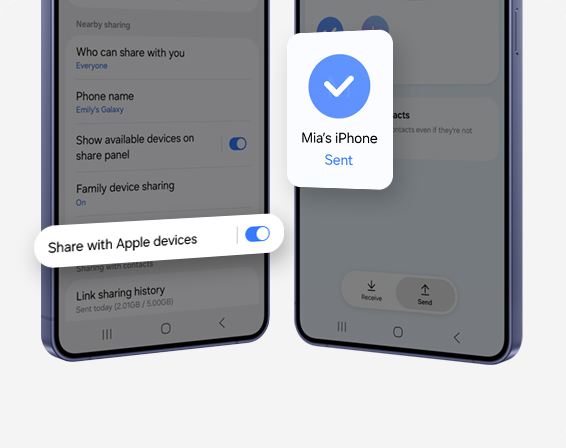
Quick Share.Now open to AirDrop
Share content with ease. Now with AirDrop® compatibility, Quick Share lets you seamlessly send and receive photos, videos and files between your Galaxy and iPhone, iPad or macOS devices.
Privacy by default. Protected by Knox
We’re committed to protecting your information, while providing transparency about how it’s used and shared.
On-device Protection
Our Personal Data Engine gathers and processes your personal data safely. Then it encrypts that data and saves it onto your device with KEEP and Knox Vault, making it harder for anyone else to gain access.
Tailored Controls
Take control over your Galaxy AI. You decide where it gets processed, either on-device or in the cloud.
Connected Security
Knox Matrix Trust Chain technology provides security across Galaxy connected devices so you can monitor the security of other devices right from your Galaxy smartphone.
CIRCLE TO SEARCH
Circle it, find it
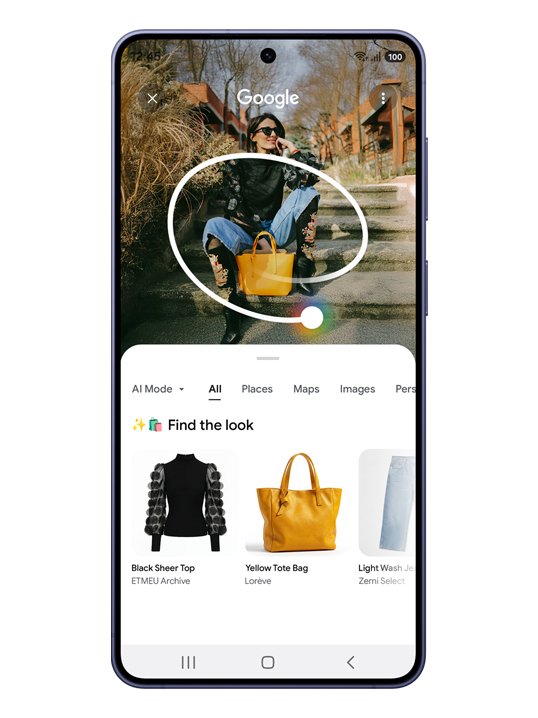
Use Circle to Search with Google to find multiple items of a look by simply circling an outfit on your screen, and it will help you find every piece — from tops to footwear and everything in between — all in one search. You can circle it, search it and find the look, all from exactly where you are.

WHY SWITCH TO GALAXY
Switching made simple
Imagine where our most powerful devices could take you. Switch to Galaxy and discover a world where all of your technology works together seamlessly, keeping you connected and in control.
Smart Switch
With Smart Switch, you can transfer photos, videos, contacts, notes, calendar events, other apps and even device settings effortlessly from iOS.
Quick Share
Use the Quick Share feature to easily send files between devices within or outside of the Galaxy, including Android OS, PCs and Apple devices.
Try Galaxy
Experience the latest Galaxy AI features and One UI in the Try Galaxy app or at trygalaxy.com.