







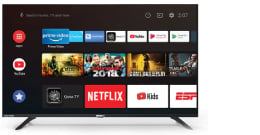








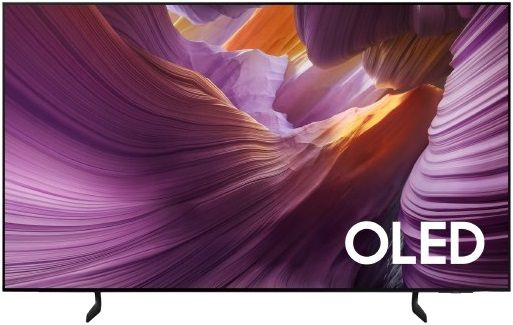
Samsung 77" S85F OLED 4K AI Smart TV (2025)

Enrich your experience with Samsung Vision AI

The words Samsung Vision AI is accompanied by the Samsung AI logo. A TV turns on to display an abstract pink landscape like mountains with a swirling pattern.

Key features at a glance


Companion that enriches your life

A smart voice assistant
Bixby
With updated intelligence, Bixby in your Samsung AI TV is the center of your AI home. It can process multiple commands at once, and it's better at grasping the wider context. Enjoy smoother conversations, easier searches, more intuitive reactions and seamless device control.
Compared to 2024 Bixby feature. Multi turn is supported for 10 languages: US/UK/IN(en)/DE/FR/IT/ES/BR/MX/KRNot all accents, dialects and expressions recognised.

Feel the full power of AI in 4K
NQ4 AI Gen2 Processor
This processor uses the power of 20 AI neural networks to optimise picture and sound quality. The result is superb performance, whether you're watching streaming services, playing your favourite video games or watching live sports.

Samsung NQ4 AI Gen2 Processor chip descends on the TV's main board and lights up with waves of power surging from the chip to the rest of the TV.

Viewing experience may vary according to types of content and format. Upscaling may not apply to PC connection and Game Mode. * Based on internal tests only. Performance results may vary depending on a number of factors.
Boost shows and movies up to 4K resolution
4K AI Upscaling
Watch your favourite content in brilliant detail. Our AI processor can take content and enhance it up to 4K resolution with 20 AI neural networks — all while maintaining sharp and smooth picture quality.

Image of a little girl kissing a puppy. The Samsung NQ4 AI Gen2 Processor appears on the photo and enhances several details, including the girl’s hair and clothes and the puppy’s face. The result is a much sharper image where subtle details are visible.
Picture Quality
Exceptional detail unveiled
OLED HDR
Our processor analyses each scene and boosts for brightness.
The result is a beautifully bright screen with incredible contrast, which brings hidden details to light.

Source content must be HDR10+ format. The range of HDR luminance is based on internal testing standards and subject to change according to viewing environment or specific conditions.
Enjoy a full range of authentic colours
PANTONE Validated
As a trusted symbol of colour fidelity by industry experts, ‘PANTONE Validated' certifies the accurate expression of 2,140 PANTONE colours and 110 newly-added skin tone shades. So you can be sure that you're getting a rich, true-to-life viewing experience.

Picture quality may vary depending on quality and resolution of source content and viewing conditions. Screen image simulated for illustrative purposes.
More about
Picture Quality


Deep blacks, clean whites and lively colours
OLED
Experience deep blacks, clean whites and vibrant colours with Samsung's OLED. Utilising over 8 million specially engineered self-illuminating pixels for a more precise and brighter picture than ever before.
Compared to previous generation Samsung OLED S90D. Picture quality may vary depending on quality and resolution of source content and viewing conditions.
Gaming Experience
Get smooth motion for games up to 120Hz
Motion Xcelerator 120Hz
Level up your gaming experience with exceptional motion enhancements up to 120Hz VRR. Providing crisp visuals at high speeds, unlock peak performance in every round. HDMI 2.1 compatibility provides access to ultra-high bandwidth for compatible devices, helping you keep ahead of the competition.

Requires compatible gaming PC supporting 4K resolution, 120Hz motion rate and Variable Refresh Rate.
Picture quality will vary depending on quality and resolution of source content. 120fps is dependent on external source supporting HDMI 2.1.
More about
Gaming Experienc

Easily discover and access your games from one screen
Gaming Hub
Save time and speed up the game selection process.* Stream over 100 blockbuster games with Xbox Game Pass or access other cloud gaming services – no downloads and console required. Plus, find your console gaming and standalone apps like YouTube, Spotify, Twitch & Discord all in one place.
A controller may be required depending on the specific game being played on the Gaming Hub. Internet connection, additional gaming service subscriptions and third party apps (depending on game or service) may be required. Content services are subject to change without notice. Requires Samsung Account.Xbox Game Pass Ultimate subscription and compatible controller required. Fees apply.

Sound

Personalise your screen experience
One UI Tizen
Explore endless entertainment with your favourite apps in one place. With automated content curation you can spend less time searching and more time streaming the movies, games and shows you love.* Your experience is also secured by Samsung Knox across SmartThings devices. Plus, One UI Tizen will support Tizen OS upgrades for the next 7 years.

Internet connection and Samsung Account required. Data and subscription charges may apply. Apps and UI may be subject to change without notice. Agreement of the Smart Hub Terms and Conditions and Privacy Policy is required before use. Kayo & BINGE not available for use in Very Remote regions of Australia. Tizen OS upgrades will be provided for 7 years, starting from release year 2025.
Enjoy 7 years of
new TV experiences
for free

Access 300+ free channels including
Samsung TV Plus channels
Endless Free Content
Enjoy news, sports, movies, entertainment, music, kids’ shows and more. With new content continuously added, there’s always more to explore!
Channel number counts including Samsung TV Plus and Plex (third-party app) are current as of January 2025. ^ Internet connection and Samsung account required.
Array of screens showing various content. Aerial shot reveals more screens and vast amount of content available. Endless Free Content. Other screens appear. Experience, smart, beyond. Screens move to the side as if scrolled through. TV show, sports, movie, drama, music. Upscale Your Entertainment.
Free TV channels, with 100+ additional channels
Samsung TV Plus
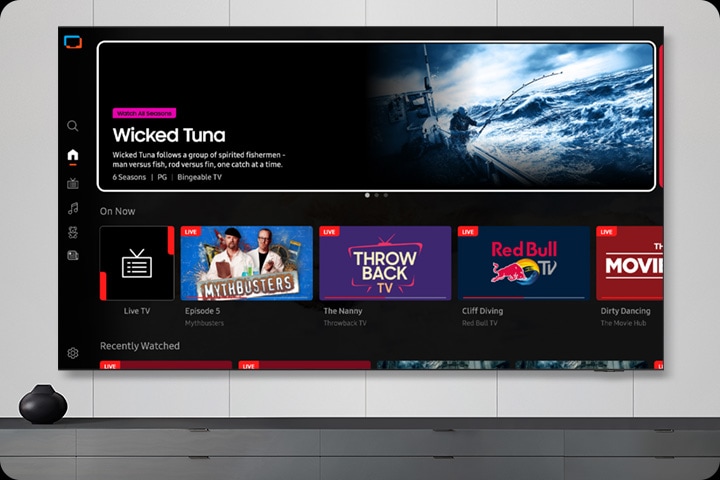
No need to pay for another subscription, enjoy free live streaming TV with Samsung TV Plus.* Choose from a variety of channels offering news, sports, entertainment and more. All you need is an Internet connection.
* Ad-supported streaming service with content subject to change without notice.
More about
One UI Tizen

The home screen for Samsung Daily+ shows apps and services. The screen scrolls down to highlight the Most Used smart devices. Screen scrolls up and shows the category switching from Featured to Health. Scrolls back down to show the Workout Tracker options. The Galaxy Watch 6 option is highlighted.
Daily management for your favourite activities
Samsung Daily+
Easily manage your daily activities from your TV. Access apps and services such as Workspace where you can work from the big screen by connecting your compatible PC, mobile or laptop and the Workout Tracker where you can get fit with your real-time exercise data on screen during your home workout.
Content, services and app availability may vary by region and are subject to change without notice.
* Workspace HQ is compatible with certain PC and mobile devices. Easy Connection app requires Windows 10 OS. Samsung DeX is supported on selected Galaxy, Note, and Tab devices running Android 6.0 ↑. Requires a compatible keyboard, mouse and Samsung account. Workout Tracker available from March 2024 on Galaxy Watch 4 ↑ Requires Samsung account.

Connect and manage your smart home devices, all from your TV
SmartThings
Control your compatible Samsung and third-party devices through your Samsung smart TV. Monitor your electricity usage, control your lighting, be notified when your washing is finished, or view your home cameras from your couch. Designed to make your life easier, more secure, and more connected.

TV in living room shows SmartThings screen. SmartThings and Matter logos. Icons appear over the connected devices. Zoom in on TV shows SmartThings in different rooms. Focus on light’s status. It goes from Off to On. Blind goes from Off to Opened. Zoom out to show TV displaying smart home info.
More about
SmartThings

Gesture to control with your watch
Universal Gesture
Easily control your TV with your smartwatch. Just wear your Galaxy Watch* and use hand gestures, like pinching to select an option, or moving your wrist back and forth for pause and play.
Universal Gesture supports Galaxy Watch 4 and higher / Wear OS 5 and higher

Design
A flowingly elegant design
Contour Design
Contour Design features a sleek unibody that connects seamlessly from top to bottom. Its smooth flowing silhouette is reminiscent of a wave, and makes an elegant addition to any space.

A side view of a slim TV with a subtly flowing silhouette. A ray of light goes down the side of the TV before it swivels to reveal its front side. A ray of light highlights the slim contour design of the TV once more.
Sustainability
Empowering more people to enjoy TV
Audio Subtitles
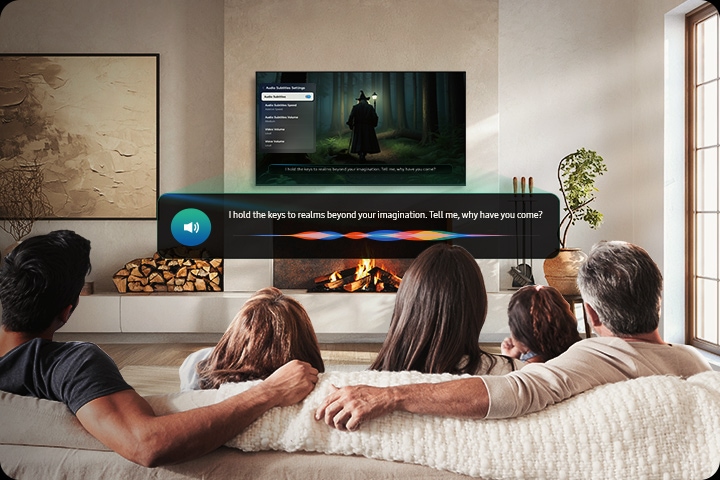
Audio Subtitles recognises subtitles and reads them aloud, improving the accessibility of your content. It doesn’t just enhance your entertainment but also makes it more inclusive, especially for viewers with different visual abilities.
* Audio Subtitles can be supported only with an HDMI output from a set-top box or a video streaming service playing content that includes subtitles. Internet connection is required.
Control multiple devices with a remote charged by sunlight and indoor lighting
SolarCell Remote
Keep your coffee table clutter-free with Samsung’s SolarCell One Remote for easy control of your compatible devices.* Powered by sunlight and indoor lighting, you'll never need disposable batteries again.**
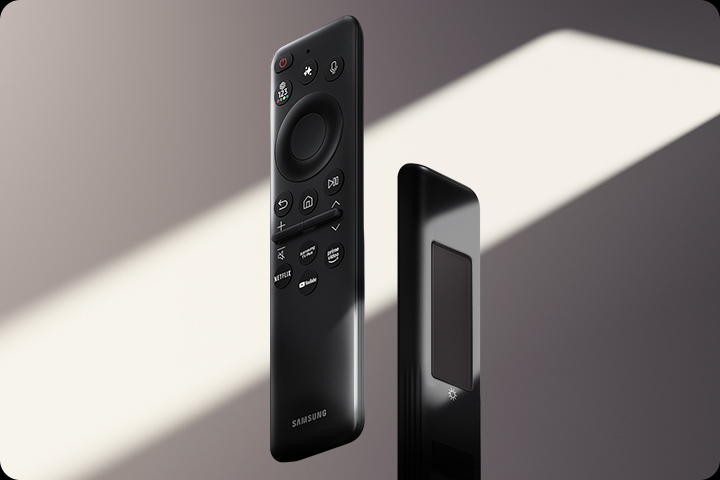
Compatible only with selected devices. Please see samsung.com/au/oneremote. To charge the remote using solar energy, place the TV remote down with the solar panel facing up. It can be positioned in your living room while the lights are turned on, or near a window to absorb natural sunlight. Alternatively, you can charge it using a USB-C cable. To check the remaining the battery level of the remote control, refer to the settings on your TV Menu.
Live & On Demand TV for free
Freeview
Watch, Search & Discover 30+ Channels of Live & On Demand TV. All in the one place. All for FREE! No charges, fees or contracts. Access free Movies, Drama, Sport, Family entertainment & more from Australian free-to-air channels ABC, SBS, 7, 9 & 10 using your Samsung TV remote.


| Brand | Samsung |
|---|---|
| Screen Size | 77'' |
| Tv Features | OLED, 4K TVs |
| Warranty | 1 Year Manufacturer |
| Shipping | Same Day From Lahore |
Log In